EasyManua.ls Logo

Olympus VN-733PC - User Manual

Olympus VN-733PC
67 pages
Print Icon
To Next Page IconTo Next Page
Loading...
Getting started
Recording
Playback
Menu
Use with a PC
Other information
EN
1
2
3
4
5
6
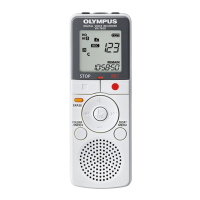
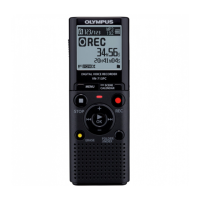
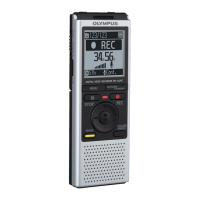
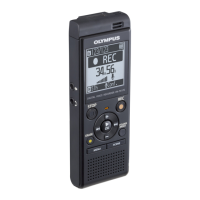
VN-733PC
VN-732PC
VN-731PC
DIGITAL VOICE
RECORDER
USER MANUAL
Thank you for purchasing an Olympus digital voice recorder.
Please read these instructions for information about using the product
correctly and safely.
Keep the instructions handy for future reference.
To ensure successful recording, we recommend that you test the record
function and volume before use.

Table of Contents

Questions and Answers

  • R
    Ricardo RomeroAug 10, 2025
    How to fix inaudible playback on Olympus VN-733PC Voice Recorder?
    • A
      amychavezAug 10, 2025
      If you can't hear anything during playback on your Olympus Voice Recorder, check the following: * If earphones are connected to the EAR jack, disconnect them to use the built-in speaker. * Ensure the volume isn't set to [00]; adjust it to a suitable level.
  • B
    Brian AdamsAug 16, 2025
    What to do if my Olympus Voice Recorder is unable to record?
    • J
      Jason HernandezAug 16, 2025
      If your Olympus Voice Recorder won't record, it might be because the memory is full. Try erasing any unnecessary files. Alternatively, you might have reached the maximum number of recordable files, in which case you should select another folder.
  • E
    ellenadamsAug 21, 2025
    What to do if my Olympus VN-733PC is not working?
    • M
      Melissa BarnesAug 21, 2025
      If your Olympus Voice Recorder isn't working, it could be due to a few reasons. First, ensure that the battery isn't low by replacing it. Second, check that the power is turned on. Finally, verify that the recorder is not in HOLD mode; if it is, release it.
  • D
    Daniel NelsonAug 28, 2025
    Why is the display blank on my Olympus Voice Recorder?
    • M
      Marissa PorterAug 28, 2025
      If the display of your Olympus Voice Recorder is blank, there are a few potential reasons. First, make sure that the battery is correctly inserted, paying attention to the positive and negative terminals. Second, the battery may be low, so try replacing it. Finally, ensure that the power is turned on.
  • S
    sosaashleySep 3, 2025
    Why can't I write index marks on my Olympus VN-733PC?
    • D
      Dominique ChurchSep 3, 2025
      If you're having trouble adding index or temporary marks on your Olympus Voice Recorder, consider these points: 1. You may have reached the maximum limit of 99 marks, so try deleting some that you don't need. 2. The file might be locked; unlock it. 3. The file could be set as read-only. Unlock the file directly on the recorder or undo the read-only setting on a PC.

Summary

Names of Parts

Recorder

Identifies physical components and buttons of the voice recorder.

Display

Details the icons and indicators shown on the voice recorder's display.

Getting Started

Setup

Guides users through the initial setup of the voice recorder.

Inserting the battery

Instructions for correctly inserting the battery into the device.

Turning the power ON

Steps to power on the voice recorder.

Inserting;removing a microSD card

Guides on inserting and removing microSD cards for storage.

Recording

Basic recording procedure

Step-by-step guide to starting and stopping recordings.

Playback

Basic playback procedure

Steps to play back recorded files and adjust volume.

Erasing Files

Erasing files

Procedures for deleting individual files or all files in a folder.

Menu

Setting menu items

General steps for navigating and changing menu settings.

Recording menu [Rec Menu]

Settings related to recording sensitivity, mode, noise reduction, voice activation.

Use with a PC

PC connection;disconnection

Steps for connecting and safely disconnecting the recorder from a PC.

Other Information

Troubleshooting

Solutions for common problems encountered with the voice recorder.

Safety precautions

Important safety warnings and precautions for using the device.

Olympus VN-733PC Specifications

General IconGeneral
BrandOlympus
ModelVN-733PC
CategoryVoice Recorder
LanguageEnglish

Videos

How to Reset All settings to Default (Olympus VN-733PC)

Related product manuals