EasyManua.ls Logo

Olympus VN-721PC - User Manual

Olympus VN-721PC
67 pages
Print Icon
To Next Page IconTo Next Page
Loading...
Getting started
Recording
Playback
Menu
Use with a PC
Other information
EN
1
2
3
4
5
6
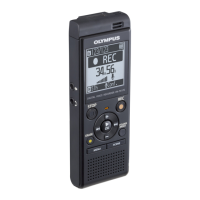
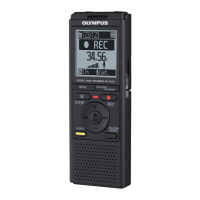
VN-722PC
VN-721PC
DIGITAL VOICE
RECORDER
USER MANUAL
Thank you for purchasing an Olympus digital voice recorder.
Please read these instructions for information about using the product
correctly and safely.
Keep the instructions handy for future reference.
To ensure successful recording, we recommend that you test the record
function and volume before use.
Register your product on
www.olympus-consumer.com/
register and get additional
benefits from Olympus!

Table of Contents

Questions and Answers

  • A
    Angel CruzAug 8, 2025
    Why is my Olympus VN-721PC not working?
    • L
      Lauren FernandezAug 8, 2025
      If your Olympus Voice Recorder isn't working, there could be a few reasons: * The battery may be low – try replacing it. * The power might be off – turn the power on. * It could be in HOLD mode – release it from HOLD.
  • A
    andersonmakaylaAug 13, 2025
    Why is playback inaudible on my Olympus Voice Recorder?
    • J
      Jared PerryAug 13, 2025
      If you can't hear anything during playback on your Olympus Voice Recorder, check these: * If earphones are connected to the EAR jack, disconnect them to use the built-in speaker. * The volume might be set too low. Adjust the volume to a higher level.
  • J
    joshuaparkerAug 19, 2025
    What to do if my Olympus VN-721PC Voice Recorder display is blank?
    • T
      timothyallenSep 12, 2025
      If the display on your Olympus Voice Recorder is blank, it could be due to a few reasons: * The battery might not be inserted correctly. Ensure the positive and negative terminals are properly aligned. * The battery power may be low. Try replacing the battery. * The power could be off. Make sure to turn the power on.
  • M
    Mary ThompsonAug 26, 2025
    How to fix Olympus VN-721PC Voice Recorder unable to record?
    • B
      Brenda RobertsAug 26, 2025
      If your Olympus Voice Recorder is unable to record, it might be because: * The memory is full. Erase any unnecessary files. * The maximum number of recordable files has been reached. Try selecting a different folder.
  • D
    Donna BrockSep 1, 2025
    What to do if Olympus Voice Recorder cannot write index marks?
    • A
      Angel JohnsSep 1, 2025
      If you can't write index marks on your Olympus Voice Recorder, consider the following: * The maximum number of marks (99) may have been reached. Erase any unneeded marks. * The file might be locked. Unlock the file. * The file could be a read-only file. Unlock the file or undo the read-only setting on a PC.

Summary

Names of Parts

Recorder

Identifies physical components of the voice recorder.

Display

Explains indicators and display elements of the voice recorder.

Getting Started

Setup

Initial setup steps including battery insertion and power ON.

Inserting the battery

Detailed instructions for inserting the AAA battery.

Turn the power ON

Procedure to switch the voice recorder on.

Setting the date;time

How to set the device's internal clock for file management.

Selecting the mode

Choosing between Normal and Simple modes for operation.

Portable USB cable

Instructions for attaching the USB cable.

Recording Operations

Basic recording procedure

Step-by-step guide to start and stop recording.

Pausing;resuming recording

How to pause and resume an ongoing recording.

Monitoring while recording

Listening to the recording via earphones.

Recording settings

Overview of various recording configuration options.

Recording with an external microphone

Connecting and using external microphones.

Recording from another connected device

Duplicating audio from other devices.

Changing the recording scene [Rec Scene]

Selecting preset recording templates.

Playback Operations

Basic playback procedure

Steps to play recorded files.

Playback through the earphones

How to listen to playback using earphones.

Fast-forwarding

Skipping forward in a file during playback.

Rewinding

Skipping backward in a file during playback.

Skipping to the beginning of a file

Navigating to file start points.

Playback settings

Options to customize playback experience.

Changing the playback speed

Adjusting playback speed for listening.

A-B repeat playback

Repeating a specific segment of audio.

Menu System

Setting menu items

General procedure for accessing and changing menu settings.

File menu [File Menu]

Options for file management like locking and dividing.

Recording menu [Rec Menu]

Settings related to recording quality and modes.

Playback menu [Play Menu]

Settings for playback features like voice filter.

LCD;Sound menu [LCD;Sound Menu]

Display contrast, LED, and beep settings.

Device menu [Device Menu]

Settings for memory, date/time, and mode.

PC Connection & File Management

PC operating environment

System requirements for connecting to a PC.

PC connection;disconnection

Steps to connect and safely disconnect the recorder from a PC.

Loading a file to a PC

How to copy files from the recorder to a PC.

Additional Information

Alarm message list

Explains error messages and required actions.

Troubleshooting

Solutions for common problems with the voice recorder.

Accessories (optional)

Information on compatible external accessories.

Copyright and trademark information

Legal notices regarding the manual and product.

Safety precautions

Important safety guidelines for using the device.

Specifications

Technical details and performance data of the recorder.

Manual Usage Guide

Indications used in this manual

Explains symbols and their meanings in the manual.

Olympus VN-721PC Specifications

General IconGeneral
Internal Memory2GB
MicrophoneBuilt-in stereo microphone
InterfaceUSB
CompatibilityWindows, Mac
Storage Capacity2GB
Expandable MemoryNo
USB ConnectivityYes
DisplayLCD
PC ConnectivityYes, via USB
Earphone JackYes, 3.5mm
Battery TypeAAA battery
Playback FeaturesVariable playback speed, A-B repeat
Battery Life (AAA battery x1 recording)Approx. 18 hours

Related product manuals