31
4
EN
Menu setting method
Menu setting method
a
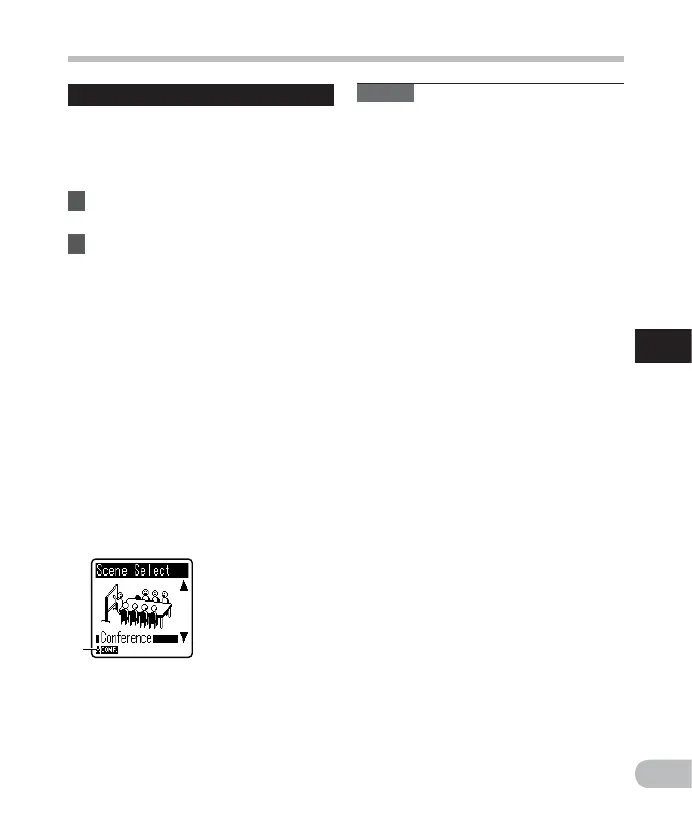
Rec Scene
A recording setting can be selected
from among the [ Memo ], [ Meeting ],
[ Conference ] or [ DNS ] templates to suit the
recording scene or situation. You can also
save a recording setting of your choice.
1 Select [ Rec Scene ] from the menu
on the [ Rec Menu ].
2 Press the + or − button to select
the item to set, and press the
` OK button.
When [ Select ] is selected:
Press the + or – button to select the
recording scene you want to set, and
then press the ` OK button.
[ Off ]: Disables this function.
[ Memo ]: Suitable for dictation.
[ Meeting ]: Suitable for recording
meetings.
[ Conference ]: Suitable for seminars with
a small number of people.
[ DNS ]: Suitable for voice recognition
software (Dragon NaturallySpeaking)
compliant recording.
[ User Setting ]: Recording with menu
settings saved using [ Register ].
a Rec Scene
When [ Register ] is selected:
• You can save the current [ Rec Menu ]
menu settings in [ User Setting
].
Note
• When a recording scene is selected,
recording-related menu settings cannot
be changed. If you wish to use these
functions, set [ Rec Scene ] to [ Off ].



 To Next Page