

EasyManua.ls Logo

Omega WiFi Amp - User Manual

Omega WiFi Amp
29 pages
Print Icon
To Next Page IconTo Next Page
Loading...

Table of Contents

Question and Answer IconNeed help?

Do you have a question about the Omega WiFi Amp and is the answer not in the manual?

Summary

Omega WiFi Amp Overview

Introduction to Omega WiFi Amp

Overview of the Omega WiFi Amp as a combined wired/wireless network connection device.

Package Contents

Lists the items included in the Omega WiFi Amp package: Repeater, Networking Cable, Installation Guide.

Quick Start Guide: Connecting and Using the Omega WiFi Amp

Getting Started with the Omega WiFi Amp

Wireless Repeater Mode Setup

Guides on setting up the Omega WiFi Amp in a typical home wireless infrastructure network.

Wireless AP Mode Setup

Instructions for setting up the Omega WiFi Amp in Access Point (AP) mode using a wired connection.

Configuring the Omega WiFi Amp

Wireless Configuration

Step-by-step guide to configuring the Omega WiFi Amp using a wireless connection.

RJ45 Cable Configuration

Guide on configuring the Omega WiFi Amp using an RJ45 network cable.

Wireless AP Mode Configuration

Instructions for setting up the Omega WiFi Amp in AP mode via a web browser.

Configuring Your Computer;Laptop

IP Address Configuration

Steps to manually set your computer's IP address for connection with the WiFi Amp.

Web Browser Configuration

Guide on configuring your computer or laptop settings through a web browser.

Connecting Computer;Laptop via WPA Function

Wireless Connection with WPS

Instructions for connecting a wireless computer using the WPS button feature.

Wired (Ethernet) Connection

Steps to connect a computer using an RJ45 Ethernet cable.

Changing Your Password

Management Password Change

Procedure to change the default management password for enhanced security.

Upgrading the Omega WiFi Amp Firmware

Restoring Factory Default Settings

Backup and Restore Router Settings

Guide on backing up, loading, and resetting the WiFi Amp's configuration settings.

Summary

Omega WiFi Amp Overview

Introduction to Omega WiFi Amp

Overview of the Omega WiFi Amp as a combined wired/wireless network connection device.

Package Contents

Lists the items included in the Omega WiFi Amp package: Repeater, Networking Cable, Installation Guide.

Quick Start Guide: Connecting and Using the Omega WiFi Amp

Getting Started with the Omega WiFi Amp

Wireless Repeater Mode Setup

Guides on setting up the Omega WiFi Amp in a typical home wireless infrastructure network.

Wireless AP Mode Setup

Instructions for setting up the Omega WiFi Amp in Access Point (AP) mode using a wired connection.

Configuring the Omega WiFi Amp

Wireless Configuration

Step-by-step guide to configuring the Omega WiFi Amp using a wireless connection.

RJ45 Cable Configuration

Guide on configuring the Omega WiFi Amp using an RJ45 network cable.

Wireless AP Mode Configuration

Instructions for setting up the Omega WiFi Amp in AP mode via a web browser.

Configuring Your Computer;Laptop

IP Address Configuration

Steps to manually set your computer's IP address for connection with the WiFi Amp.

Web Browser Configuration

Guide on configuring your computer or laptop settings through a web browser.

Connecting Computer;Laptop via WPA Function

Wireless Connection with WPS

Instructions for connecting a wireless computer using the WPS button feature.

Wired (Ethernet) Connection

Steps to connect a computer using an RJ45 Ethernet cable.

Changing Your Password

Management Password Change

Procedure to change the default management password for enhanced security.

Upgrading the Omega WiFi Amp Firmware

Restoring Factory Default Settings

Backup and Restore Router Settings

Guide on backing up, loading, and resetting the WiFi Amp's configuration settings.

Overview

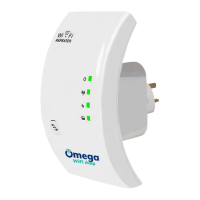
The Omega WiFi Amp is a versatile network connection device designed for both wired and wireless expansion, suitable for small businesses, large homes, and other environments requiring extended network coverage. It functions primarily as a Wireless-N Repeater, allowing users to expand an existing wireless network without the need for a wired backbone. It is also compatible with 11b/g and 11n wireless protocol products.

Function Description:

The Omega WiFi Amp offers two primary modes of operation:

  1. Wireless Repeater Mode: In this mode, the device extends the coverage of an existing WiFi network and enhances the signal strength. It operates wirelessly, meaning no wired connection to the main router or broadband is required. This is ideal for eliminating dead zones and improving WiFi signal quality throughout a property.

  2. Wireless AP Mode (Access Point Mode): When configured as an Access Point, the Omega WiFi Amp creates a new WiFi hotspot. This mode requires a wired connection to a broadband interface or a wired router using the included RJ45 network cable. It's useful for providing full WiFi coverage in areas where a wired connection is available but wireless access is needed.

Important Technical Specifications:

While specific technical details like frequency bands, antenna type, and maximum data rates are not explicitly listed, the manual indicates it is a "Wireless-N Repeater," implying support for the IEEE 802.11n standard, which typically operates in the 2.4 GHz band and offers higher speeds and better range compared to older 802.11b/g standards.

The device's default IP address for configuration is http://192.168.10.1/. The default username and password for accessing the management page are both admin. It supports various wireless security and encryption methods, including 64/128-bit WEP, WPA, WPA2, and WPA/WPA2.
Usage Features:

  • Easy Setup: The Omega WiFi Amp is designed for straightforward setup. Users can plug it into a wall socket and connect to its signal wirelessly for initial configuration.
  • Web-Based Management: Configuration is done through a web browser, making it accessible from any computer or laptop on the network.
  • Repeater Mode Configuration:
    • Users select their current wireless router's SSID from a list.
    • They then input their existing WiFi security key.
    • The device restarts and creates an extended network with the original SSID appended with "_ext" (e.g., "YourSSID_ext").
  • AP Mode Configuration:
    • Users select the "AP" mode from the management page.
    • They can configure the SSID, channel (auto-recommended), security type (WPA/WPA2 PSK), and security key for the new WiFi hotspot.
    • After configuration, the device needs to be connected to the router via an RJ45 cable.
  • WPS Functionality: The device supports Wi-Fi Protected Setup (WPS) for quick and easy connection of compatible WiFi devices by simply pressing the WPS button on the Omega WiFi Amp.
  • Flexible Computer/Laptop Configuration: Users can configure their computer or laptop to connect to the Omega WiFi Amp either by manually setting the network IP address or by using a web browser.
    • Manual IP configuration involves setting a static IP address (e.g., 192.168.10.x), subnet mask (255.255.255.0), and the device's default gateway (192.168.10.1).
  • RJ45 Networking Cable: An RJ45 cable is included in the package, facilitating wired connections for AP mode or initial configuration.
  • Quick Installation Guide: A quick installation guide is provided to assist with the setup process.

Maintenance Features:

  • Reset Functionality: If the management page cannot be loaded or if settings need to revert to factory defaults, a reset button (located in a tiny hole) can be pressed and held for 10 seconds until all LED indicators re-flash. This is crucial for troubleshooting or reconfiguring the device.
  • Firmware Upgrade: The Omega WiFi Amp's software (firmware) can be upgraded via the web management interface. This allows for adding new functions, improving performance, and fixing bugs. Users download the latest firmware file from the manufacturer's website and upload it through the interface. A warning is provided against interrupting the upgrade process, as it can corrupt the firmware and void the warranty.
  • Password Management: Users can change the default "admin" password for the management page to enhance security. This is strongly recommended, especially when the wireless function is enabled.
  • Save/Reload Settings: The device allows users to back up all settings to a file, which can then be saved and reloaded later. This is useful for restoring a preferred configuration or for managing multiple configurations.
  • Load Default Settings: There's an option to load default settings, which effectively removes all custom configurations, similar to a factory reset but initiated from the software interface.
  • LED Indicators: The device features LED indicators that re-flash during a reset, providing visual feedback on the device's status.

Package Contents:

  • 1x Wireless-N Repeater (the Omega WiFi Amp itself)
  • 1x RJ-45 Networking Cable
  • 1x Quick Installation Guide

Important Notes:

  • Users are advised to check the package contents upon receipt and contact the dealer for any missing items.
  • The manual includes a WEEE Directive & Product Disposal notice, emphasizing responsible disposal of the product at the end of its serviceable life.
  • When configuring wireless security keys, it is recommended to avoid strange symbols ($ *& ^) as they might lead to failed configurations; characters and numbers are highly recommended.
  • After successful configuration in Repeater or AP mode, the management page will be locked, and users will need to perform a hard reset to access it again.
  • When manually configuring a computer's IP address, users must remember to restore it to automatic settings after finishing the Omega WiFi Amp setup.

Omega WiFi Amp Specifications

General IconGeneral
BrandOmega
ModelWiFi Amp
CategoryAmplifier
LanguageEnglish