EasyManua.ls Logo

Omker OMK-K373 User Manual

Default Icon
6 pages
To Next Page IconTo Next Page
Page #1 background imageLoading...
Page #1 background image
1
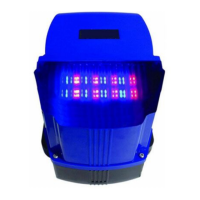
OMK-K373 Resistance Rebound Intelligent Built-in Controller for
Sliding Door
INSTRUCTION MANUAL
Read carefully
As newly developed product, OMK-K373type resistance rebound intelligent built-in
controller for sliding door is controlled by microcomputer with reliable performance,
resistance rebound compared with other liking products, it covers the following
advantages
1. Anti-collision design: when the door body travel is completed, only after press reverse
key, the motor can be activated so that the over-travel can be avoided.
2. Motor time protection: the default value is 90s, if want to change this value, you
may reset as follows(When setting this value,the RED DIP switch 3 should be turn on
to OFF (This is very important)): Turn on Red DIP switch 6 to ON, press function key F
more than 5s,power indicator light will be off,after a sound of the controller,release function
key F, the door will automatically open to the limit and stop,then perform close
action,closing to close limit and then stop,complete setting of motor time protection.
After setting,you should turn on Red DIP switch 6 back to off. Noted: when setting travel
protection time,travel open and close limit should be installed and run normally. (Press
function key F more than 5s,if power indicator light do not turn off,you should cut off power
for 5s, and then connect power, entering this function).
3. Auto Close Function: If you need auto close when external card reader or other auto
release system is added, you should turn on RED DIP switch 3 (Auto close) to ON,star auto
close function.Then turn on RED DIP switch 6 (set) to ON, each time you press F,you will
hear a sound.How much time you want for the auto close how many times you press F.After
setting,you should turn on RED DIP switch 6 back to off,and will hear a sound. Auto close
time setting is finished. When door reach to the open limit, stop indicator light of the
controller will flash and timing ,when reach the setting time,the door will auto closed to
realize remote control function.(Noted setting of auto close function: you should reconnect
the power, otherwise it will have no reaction). It’s strongly recommended to add infrared
protection, especially when performing auto close function to avoid unnecessary loss.
4. Single key remote control and three key remote control interchange: This function
can be set by RED
DIP switch 1. Turn on RED DIP switch 1 (single key remote control )to off, remote
control perform in this way: OPEN-STOP-CLOSE-LOCK four keys controlled
independently.Turn on RED DIP switch 1 to ON, remote control perform single key cycle
operation, i.e.coded with which key,that is the key perform cycle operation.
For example:use OPEN key to coded
Press OPEN key=door open
Press OPEN key again =door stop
Question and Answer IconNeed help?

Do you have a question about the Omker OMK-K373 and is the answer not in the manual?

Omker OMK-K373 Specifications

General IconGeneral
BrandOmker
ModelOMK-K373
CategoryGate Opener
LanguageEnglish

Summary

Product Features and Functions

Anti-collision Design

Prevents over-travel by activating the motor only after pressing the reverse key.

Motor Time Protection

Sets default motor protection time to 90s, adjustable via DIP switches and function key.

Auto Close Function

Enables automatic door closing after a set time for external systems.

Remote Control Operation Modes

Allows interchange between single-key cycle and four-key independent remote control.

Motor Force and Resistance Adjustment

Adjusts soft start force and resistance rebound strength during closing.

Anti-clamping and Direction Adjustments

Door stops/reverses on obstruction; motor/travel direction adjustable.

Travel Connection and Fault Display

Supports mechanical/reed switches for travel limits and provides LED fault display.

DIP Switch Configuration

Remote Control Functions

Enables single-key function and lock-key manual function for remote controls.

Auto Close and Soft Start

Configures auto close function and soft star motor function.

Resistance Function and Set Mode

Activates resistance function during closing and sets the system mode.

Remote Control Usage

Basic Operation and Locking

Controls motor operation (open, stop, close) and enables a lock function.

Adding and Deleting Remotes

Procedure for studying (adding) and deleting remote controls from the system.

Optional Accessories and Interfaces

Access Control Connections

Connects card readers, outlet buttons, or intercoms to OPEN/CLOSE interfaces.

Button Switch and Sensor Interfaces

Connects external buttons, ground sensors, or infrared sensors for control.

Infrared (Electric Eye) Usage

Details the connection and operation of infrared sensors for safety.

Cautions and Safety Guidelines

General Cautions and Troubleshooting

Notes on power supply, remote battery life, and remote control distance.

Comprehensive Safety & Operation

Covers installation, operation, safety devices, grounding, and maintenance rules.

Related product manuals