
 Need help?
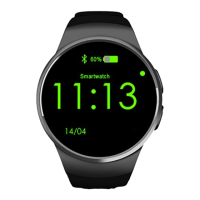
Do you have a question about the OMNI Global KW18 and is the answer not in the manual?
Learn about modification rights, charging, security codes, and SIM/TF card insertion.
Understand the watch's components, basic navigation, and how to change watch faces.
Guide to downloading, installing, and connecting the Fundo Wear app via Bluetooth.
Detailed explanations of key functions including calling, messaging, activity tracking, media playback, and settings.
Important considerations for charging the watch and maintaining stable Bluetooth connections.
Steps for setting up the Fundo Wear app, saving, and sharing activity data.
Solutions for problems related to turning on, battery life, and charging the watch.
Troubleshooting steps for Bluetooth connection, call quality, and data upload errors.
 General
| Brand | OMNI Global |
|---|---|
| Model | KW18 |
| Category | Watch |
| Language | English |

 To Next Page