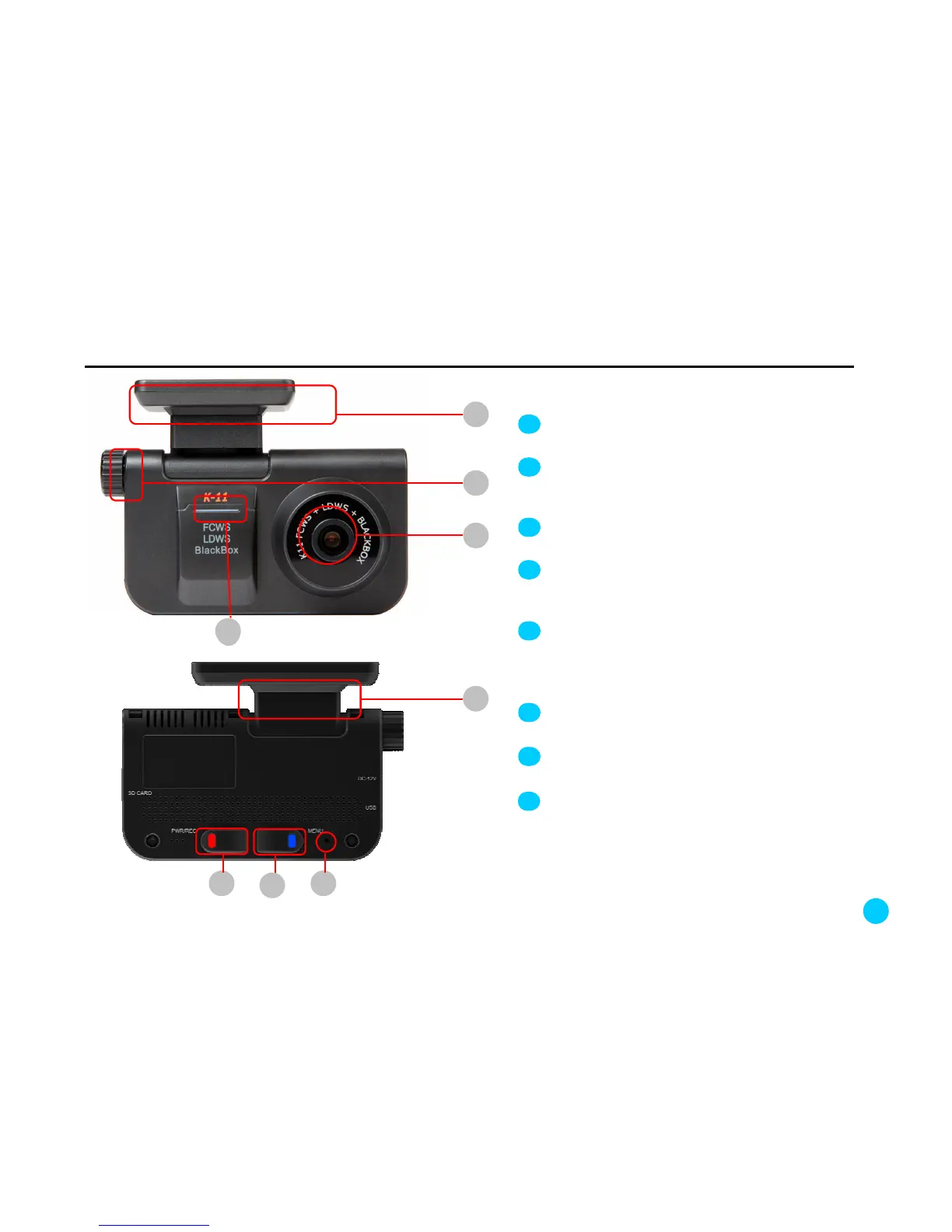
3. Name and functions of each part of the product
1
2
3
Bracket: It holds K11 after being attached to the
front windshield of the car.
CAMERA LENS
4
Angle adjusting bolt: It adjust the angle between
the main body and the bracket. You can set an
optimal angle according your car conditions.
1
2
3
Security Warning LED: It blinks when it detects a
motion in parking mode, giving a warning sign that
the blackbox is recording
6
7
Receiver of the remote control
REC.: When this button is pressed while K11 is
on, image recording is activated. During
recording the red LED blinks. When the blinking
stops, the recording is completely stored.
RESET button: Press button 7 with a pin
when K11 functions incorrectly, then it resets.
75
6
4
Rotating panel: K11 can rotate 360 degrees.
5
8
8



 To Next Page