Lock Installation Instructions
FLAT2
FECHA:
Pg. 8 / 12 ESP Rev 02
INSTRUCTIONS FOR USE
Once the 4/5 cables (fig. 2/3) have been connected, the lock will be ready for configuration
with a mobile.
Your lock is prepared to be installed on right / left direction doors. To change the turn of the
lock, you just have to loosen the screws inside the handles and turn the handle in the
desired direction.
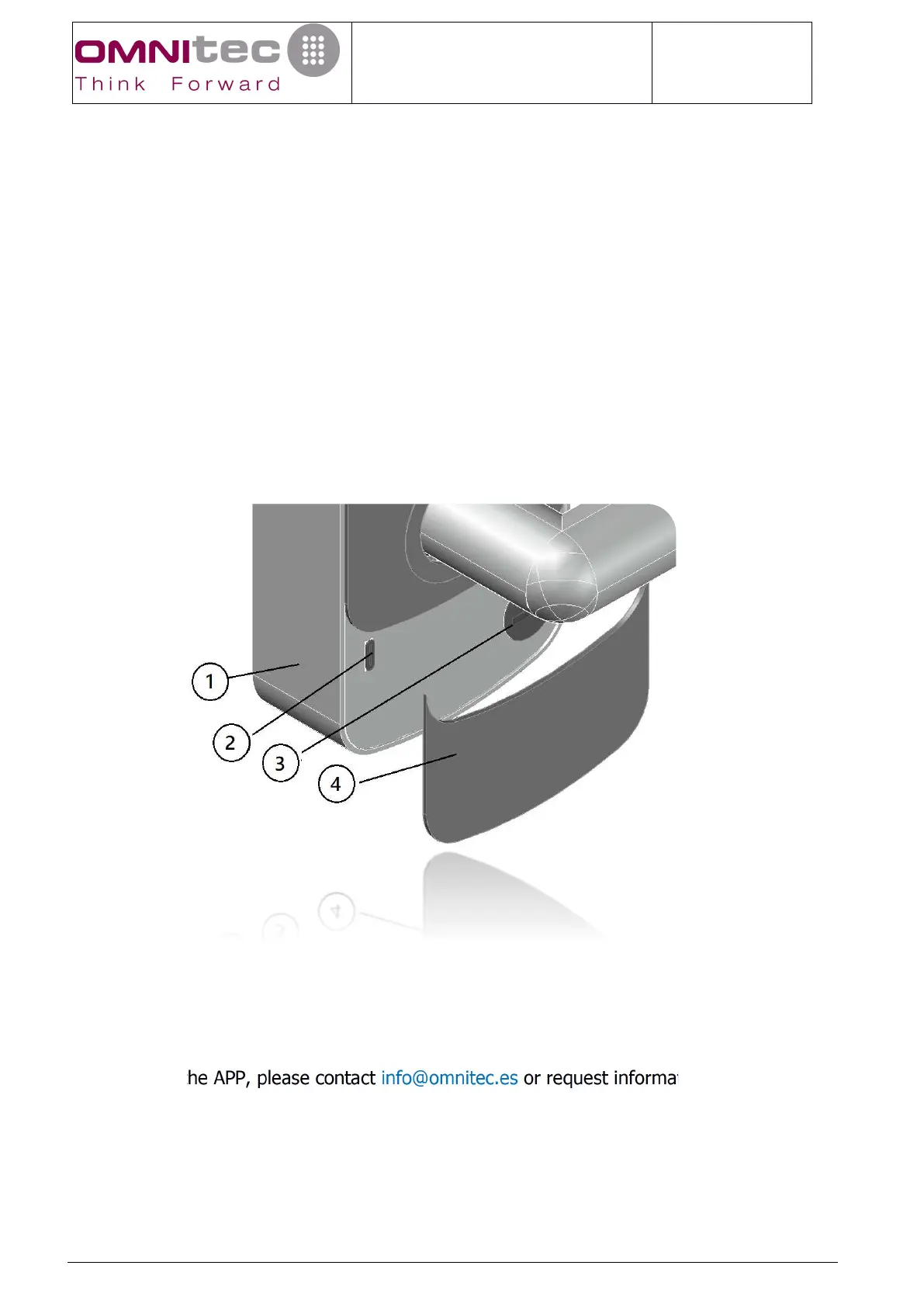
Your electronic lock has an emergency lock (3) inside the exterior front, to access it, if
necessary, you will have to use the magnet to remove the cover (4) from the exterior front.
In the same location, you can also access a type C connector (2), to introduce voltage (6V),
in case the batteries are depleted.
To download the APP, please contact info@omnitec.es or request information from your
distributor.


 To Next Page
 Loading...