Lock Installation Instructions
FLAT2
FECHA:
Pg. 9 / 12 ESP Rev 02
CHANGE OF CHANGE OF HANDLE
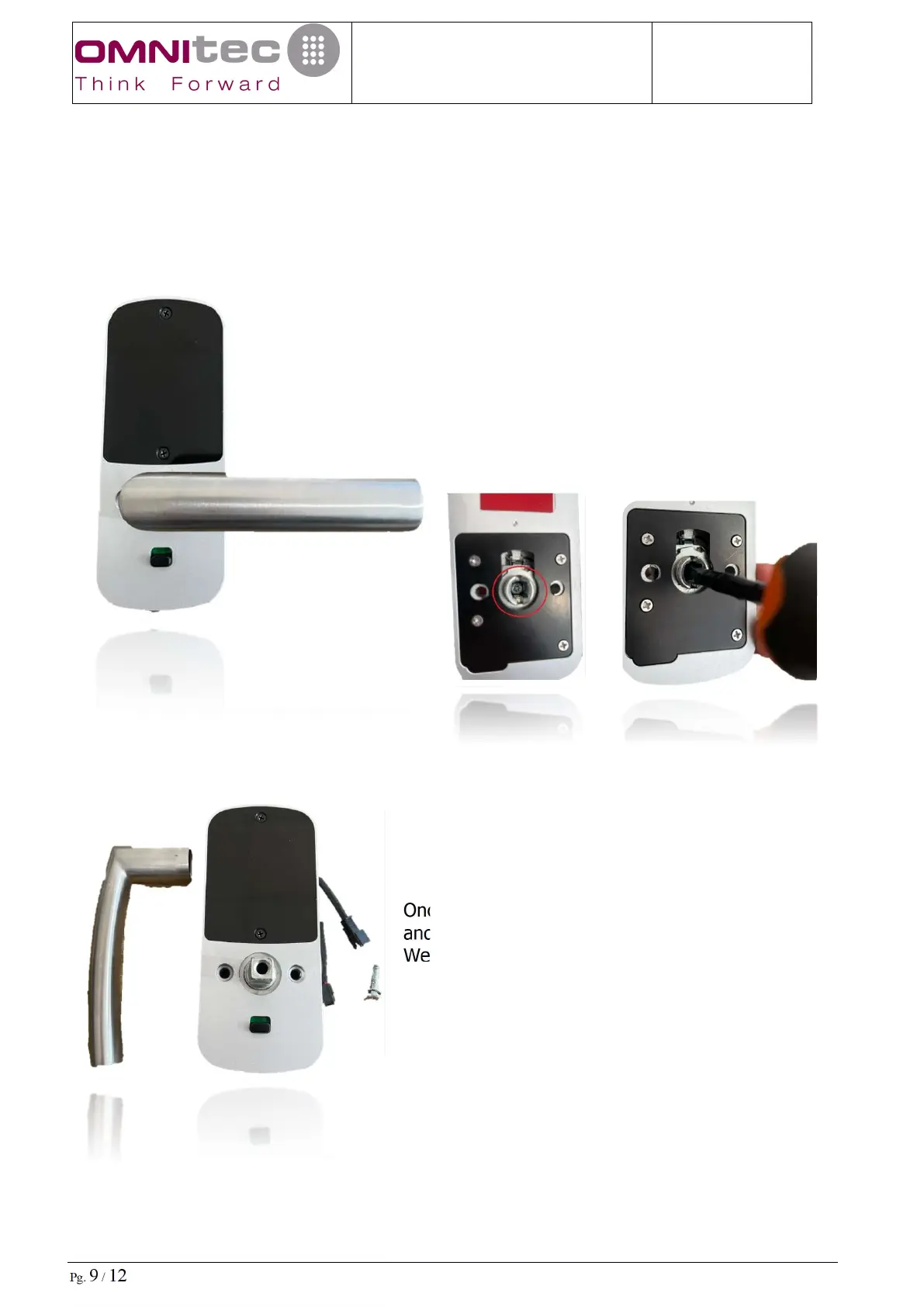
To change the handle or turn the handle, just follow these simple steps:
On the back of both fronts of the FLAT2 lock,
inside the handle, we find a M5x20mm screw
with a phillips head, with the help of a
screwdriver, we will remove it.
Once we remove the screw, we remove the handle
and turn it or place the new handle.
We replace and tighten the M5x20 screw



 To Next Page