23
English
TX OPT 16
2
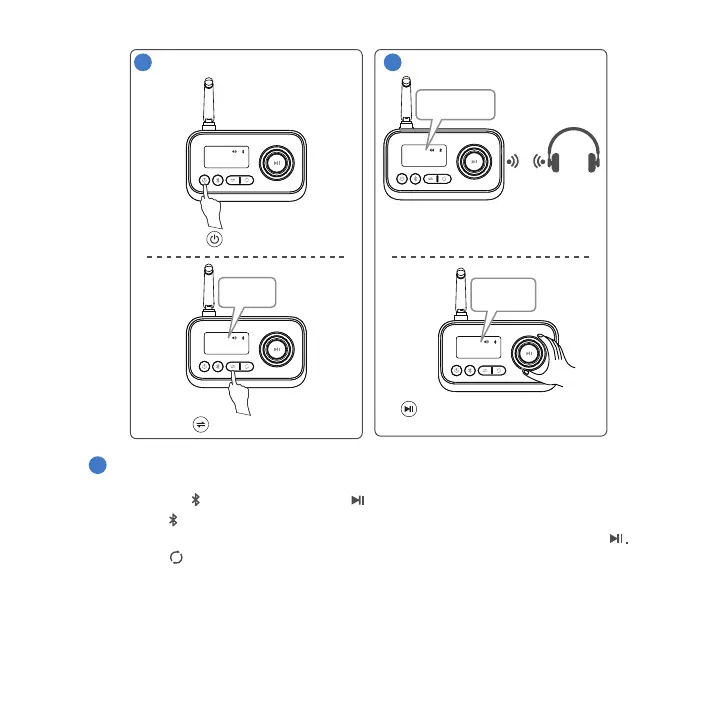
Power on.
Press 3 sec.
TX OPT 16
Select TX mode.
Pair.
3
TX
TX OPT 16
Searching...
BDT-5.0 will enter pairing mode.
Activate Bluetooth at headphones.
Wait until connection is established.
Speaker 1
Speaker 2
TX OPT 16
Device 1
Device 2
Rotate to select device.
Press to confirm.
4
Ÿ The BDT-5.0 will automatically reconnect to the recently connected two headsets
once they are in pairing mode.
The BDT-5.0 can simultaneously stream audio to two Bluetooth headsets. Both can
play e.g. the same TV sound. To do this, activate Bluetooth on the second headset.
Then press to pair and confirm with .
Ÿ Press to disconnect the current two paired devices and enter search mode.
Available devices are shown on the display. To connect, select and confirm with
Ÿ Press to automatically pair two available devices. Once the connection is
established, both device names are shown on the display.



 To Next Page