10602296X10NXS_V_1_0.DOC
25/69
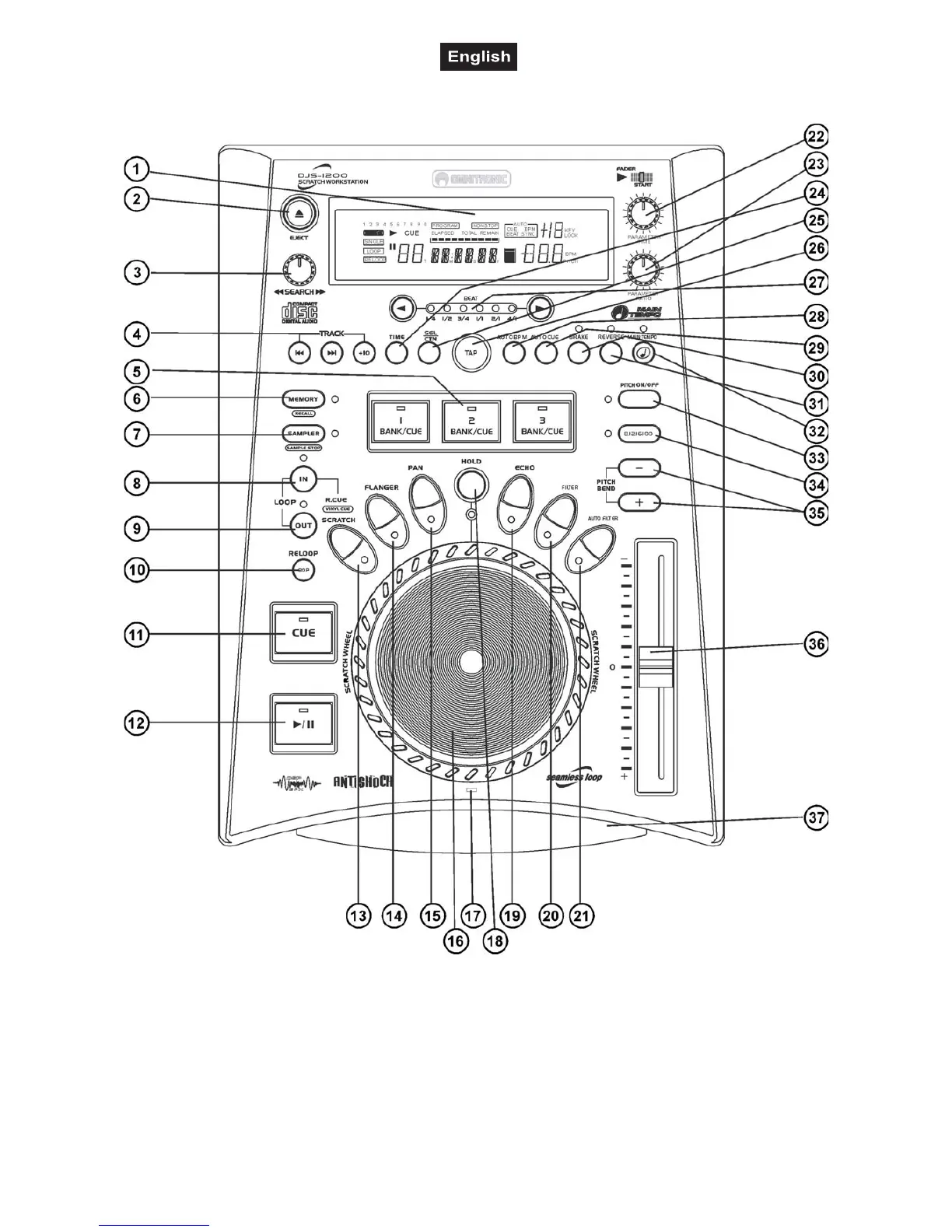
4.2 Frontpanel
1. DISPLAY
VFD-display for displaying the different modes and functions. Please refer to the explanations under 6.3
VFD-display.
2. EJECT BUTTON
Via the EJECT-button, you can stop and eject the CD. Please refer to the explanations under 6.2 CD Slot In.
3. SEARCH-ENCODER
Via the Search-encoder, you can quickly scan forwards and backwards. Turn the Search-encoder to the right
in order to scan forwards and turn it to the right in order to scan backwards. The further you turn the Search-



 To Next Page