
EasyManua.ls Logo

Omron KM-N3-FLK - User Manual

Omron KM-N3-FLK
106 pages
Print Icon
To Next Page IconTo Next Page
Loading...
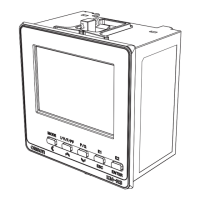
On-Panel Power Monitor
model KM-N3-FLK
Users Manual
1. Overview of the unit
2. Installation and wiring
3. Basic use
4. Settings needed to measure
electricity
5. Other Functions
6.
Detailed settings for communications
7. Troubleshooting
8. Appendices
Catalog no. N214-E1-02
Thank you for purchasing the On-panel Power Monitor, model KM-N3-
FLK (referred to as model KM-N3 in this manual).
This Users Manual describes the functions, performance, and
application methods needed for optimum use of the unit.
Please observe the following when using this unit.
This product is designed for use by qualified personnel with a
knowledge of electrical systems.
Before using the product, thoroughly read and understand this Users
Manual to ensure correct use.
Keep this Users Manual in a safe location so that it is available for
reference whenever required.

Questions and Answers

Summary

Agreement regarding use

1. Definitions

Defines key terms used in the agreement, such as Omron products and usage conditions.

2. Cautions regarding content

Points to be aware of regarding catalog content, warranties, and discontinuation.

3. Precautions

Terms deemed accepted upon adopting or using Omron products, including safety and application fitness.

Agreement regarding use(continued)

3. Precautions (continued)

Details on applications with stringent safety requirements and high reliability.

4. Warranty

Explains warranty period, content, exceptions, and limitation of liability.

5. Limitation of liability

States the warranty is entire and Omron accepts no responsibility for damages.

6. Export control

Requires compliance with export control laws for Japan and related nations.

Notice

Permissions regarding manual reproduction, changes, and error reporting.

Safety precautions

Warning displays

Explanation of warning symbols used for safe operation and their meanings.

Meanings of the symbols

Details on caution, mandatory actions, explosion, electrical shock, and prohibition symbols.

Safety precautions(continued)

Caution

Property damage due to fire, explosion, and electric shock precautions.

Important safety points

Important safety points

Guidelines for safe use, including environmental considerations and wiring practices.

Precautions for correct use

Precautions for correct use

Notes on product categorization, parameter settings, and environmental usage.

Precautions for correct use (continued)

Safety standard compatibility

Information on voltage limits, safety standards, and wire temperature requirements.

Manual revision history

Manual revision history

Table detailing revision numbers, dates, and reasons for changes.

1. Overview of the unit

1.1 Main features

Supports international standards and connection via generic CTs for multi-circuit metering.

1.2 Device configuration

Diagram showing connections of voltage, CTs, and outputs to the On-Panel Power Monitor.

1.3 Names of the parts and their functions

Details of front and LCD display parts and their functions.

1.4 Dimensions

Physical dimensions of the unit and panel cut-out dimensions for mounting.

1.5 Multi-circuit metering

Details on measuring multiple circuits and CT allocation by phase/wire type.

1.6 Multi-address system

Explanation of how circuits are allocated different communication addresses for simplified management.

1.7 Mode configuration

Description of the three operating modes: measuring, setting, and communication.

2. Installation and wiring

2.1 Attaching the body of the unit

Steps for creating panel openings and mounting the unit for waterproof installation.

2.2 Wiring the CTs

Table showing CT usage based on phase/wire type and layout of CT input terminals.

2.3 Wiring the power supply

Procedure for wiring the power supply terminal and recommended ferrules.

2.4 Wiring the measured voltage input

Terminal layout for measured voltage input and wiring guide for different phase/wire types.

2.5 Fitting the CTs to the measuring wires

Instructions on fitting CTs to wires and confirming CT polarity for accurate measurement.

2.6 Pulse output wiring

Layout of pulse output terminals and procedure for connecting wires.

2.7 RS-485 wiring

Layout of RS-485 terminals and procedure for connecting wires.

2.8 Wiring diagrams

Wiring diagrams for 3-phase 4-wire and 1-phase 2-wire configurations.

3. Basic use

3.1 Turning the power on

Procedure for powering up the unit and initial display information.

3.2 Switching between modes

How to switch between measuring, setting, and communication modes.

3.3 How to read the measurements

Display changes for measuring circuits based on phase and wire type.

3.4 How to read the setting values

Organization of setting mode into categories: circuits, common, and others.

4. Settings needed to measure electricity

4.1 Setting items for measuring electricity

Overview of setting categories: circuits, common (RS-485), and pulse output.

4.2 Circuit settings

Configuration for phase/wire type, CT current, and communication address for circuit A.

4.3 RS-485 communication settings

Configuration for protocol, speed, data length, parity, and wait time for RS-485.

4.4 Pulse output settings

Setting the units for pulse output, common to all ports.

5. Other Functions

5.1 Voltage assignment

Setting voltage allocation for 1-phase 2-wire circuits based on phase/wire type.

5.2 Measuring high voltage

Procedure for setting the VT ratio when measuring voltages above 480V.

5.3 Display unit conversion

Setting a conversion rate to display calculated values like monetary figures or CO2 volume.

5.4 Automatic LCD OFF

Configuration for the automatic LCD display turn-off time after a set period of inactivity.

5.5 Alarm display with negative effective power value

Function to display an alarm when effective power becomes a negative value.

5.6 Tariff feature

Feature to select a location to save cumulative active energy data from T1 to T4.

5.7 Change password

Enables changing the password for moving from measuring to setting mode.

5.8 Checking software version

Procedure to check the software version currently used by the product.

5.9 Initialize

Types of initialization: resetting active energy per circuit, all circuits, or all settings.

5.10 Restart

Procedure to restart the product.

6. Detailed settings for communications

6.1 Overview of communications

Enables creating programs on host devices to collect data and change settings.

6.2 Modbus

Explanation of Modbus command frame, response frame, and data format.

6.3 CompoWay;F

Explanation of CompoWay/F data format, command frame, and BCC calculation.

6.4 Address map

List of variable areas (measurement values) with CompoWay/F and Modbus RTU addresses.

7. Troubleshooting

7.1 Warnings

Classification of warnings into errors and alarms with descriptions and actions.

7.2 Troubleshooting

Table of common phenomena, descriptions, actions, and corresponding page numbers.

8. Appendices

8.1 Specifications

Main unit specifications including electrical, environmental, and physical characteristics.

8.2 ASCII code table

Table listing ASCII character codes in binary, decimal, and hexadecimal formats.

8.3 14 segment displays and 7 segment displays

Examples of 14-segment and 7-segment displays shown on the product's LCD.

Omron KM-N3-FLK Specifications

General IconGeneral
BrandOmron
ModelKM-N3-FLK
CategoryMicrophone
LanguageEnglish