EasyManua.ls Logo

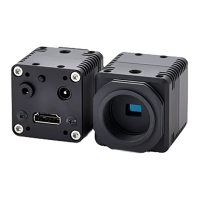
Omron SENTECH STC-HD133 Series - User Manual

Omron SENTECH STC-HD133 Series
49 pages
Print Icon
To Next Page IconTo Next Page
Loading...
No.16S058-01
1/49
STC-HD133 Series (STC-HD133DV / STC-HD133SDI) /
STC-HD93 Series (STC-HD93DV / STC-HD93SDI) Users guide
16:9 Format 720p Color Camera
STC-HD133 Series
STC-HD93 Series
Users guide
Question and Answer IconNeed help?

Do you have a question about the Omron SENTECH STC-HD133 Series and is the answer not in the manual?

Summary

1. Introduction

2. The requirement equipment to use the camera

3. The camera settings setup method

3.1. The camera setting with the push button

Configures camera settings using the physical push button on the device for white balance control.

3.2. The camera setting with the remote controller

Details how to configure camera settings using an external remote controller via different connectors.

3.3. The control software users guide

Provides guidance on using the HD133Ctrl software for camera configuration and management.

Omron SENTECH STC-HD133 Series Specifications

General IconGeneral
BrandOmron
ModelSENTECH STC-HD133 Series
CategoryCCD Cameras
LanguageEnglish