EasyManua.ls Logo

Omron Walking style One 2.1 - User Manual

Omron Walking style One 2.1
2 pages
Print Icon
To Next Page IconTo Next Page
Loading...
HJ-321-E Step counter Walking style One 2.1
Checking todays results
Attach product
Activation: Press any key for 2 sec.
About stride length
The initial stride length value that blinks on the display is an estimated stride length calculated from
the height setting. Set the actual stride length to use based on the type of walking you will do and
your own physique.
To get the most accurate results, take 10 steps and then measure the stride length for one step
(from toe to toe or from heel to heel).
The distance display is calculated by multiplying the adjusted stride length by the number of steps.
General Settings:
3UHVVƔIRUVHF&RQYHUWXQLWZLWKŸź
&RQ¿UPZLWKƔ
Note:
If the initial settings are not correct, the measurement
results may not be accurate.
Calories burned
By measuring the intensity of your activity, the unit
can calculate the amount of calories burned.
Aerobic steps
Aerobic steps are the physical exercise that helps us
stay healthy. Aerobic steps are counts separately when
walking more than 60 steps per minute and more than
10 minutes continuously. If a rest of less than 1 minute is
taken after a continuous walk of more than 10 minutes,
this will be regarded as part of “a continuous walk”.
About the battery energy saving function
In order to save battery energy, the display of the unit
will be turned off if no buttons are pressed for more
than 5 minutes. However, the unit will continue to moni-
tor your step count. Press Ɣ, ŸRUźbutton to turn the
display on again.
Cases where the unit may not be able to count steps accurately
Irregular movement
• When the unit is placed in a bag that moves irregularly.
• When the unit hangs from your waist or a bag.
Inconsistent walking pace
:KHQ\RXVKXIÀHRUZHDUVDQGDOVHWF
• When you cannot walk at a consistent pace in a crowded area.
Excessive vertical movement or vibration
• When standing up and/or sitting down.
• When doing sports other than walking.
• When ascending or descending stairs or on a steep slope.
When there is vertical or horizontal vibration in a moving vehicle such as on the bicycle, in a car,
trains or a bus.
When walking very slowly
Note:
In order to avoid counting steps that are not part of a walk, the unit does not display the step count for
WKH¿UVWVHFRQGVRIZDONLQJ,I\RXFRQWLQXHZDONLQJIRUPRUH
WKDQVHFRQGVLWGLVSOD\VWKHVWHSFRXQWIRUWKH¿UVWVHFRQGVDQGWKHQFRQWLQXHVWRFRXQW
1.
2.
3.
4.
IM-HJ-321-E-web--10/2012
6WHSV
'LᚔDQFH
&DORULHV
EXUQHG
$HURELF
ᚔHSV
7LPH
+ROGHU 6WHSFRXQWHU %DWWHU\
LQᚔDOOHG
6FUHZ
GULYHU
,QᚔUXFWLRQ
PDQXDO

Other manuals for Omron Walking style One 2.1

Question and Answer IconNeed help?

Do you have a question about the Omron Walking style One 2.1 and is the answer not in the manual?

Overview

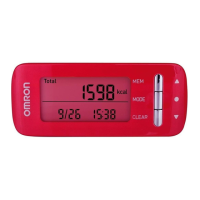
The OMRON Walking Style One 2.1 (model HJ-321-E) is a compact and portable step counter designed to help users monitor their physical activity and maintain a healthy lifestyle. This device tracks various metrics related to walking, including steps taken, distance walked, calories burned, and aerobic steps, providing a comprehensive overview of daily activity.

Function Description

The primary function of the device is to accurately count steps. It utilizes an internal mechanism to detect movement and translate it into step counts. To ensure accuracy, the unit is designed to disregard movements that are not part of a continuous walk, such as the first few seconds of walking, and only begins displaying the step count after 4 seconds of continuous movement. If walking continues beyond 4 seconds, it displays the initial 4 seconds' count and then continues to count.

Beyond basic step counting, the device offers several advanced tracking capabilities:

  • Distance Walked: By combining the step count with the user's stride length, the device calculates the total distance covered. The initial stride length is estimated based on the user's height, but for optimal accuracy, users are encouraged to measure their actual stride length (e.g., by taking 10 steps and dividing the total distance by 10) and input this value into the device.
  • Calories Burned: The unit measures the intensity of activity to estimate the amount of calories burned. This feature provides valuable insight for individuals managing their weight or monitoring energy expenditure.
  • Aerobic Steps: This feature specifically tracks "aerobic steps," which are defined as physical exercise that contributes to health. Aerobic steps are counted separately when walking more than 60 steps per minute for more than 10 minutes continuously. If a rest of less than 1 minute is taken after a continuous walk of more than 10 minutes, it is still considered part of a continuous walk. This helps users identify and track sustained periods of moderate-intensity activity.
  • Memory Function: The device stores daily activity data for up to 7 days, allowing users to review their progress over time. This historical data can be accessed through the memory function, displaying metrics like steps, distance, and calories for previous days.

Usage Features

The OMRON Walking Style One 2.1 is designed for ease of use with intuitive controls and a clear display.

  • Activation and Display: To activate the unit or turn on the display, users simply press any button for 2 seconds. The display automatically turns off after 5 minutes of inactivity to conserve battery power, but the unit continues to monitor step count in the background.
  • Setting Up: Initial setup involves inputting personal data such as height, weight, and stride length. These settings are crucial for accurate calculations of distance and calories burned. The device allows users to convert units (e.g., pounds to kilograms, feet/inches to centimeters) to suit their preference.
  • Mode Selection: The device features a "mode" button to cycle through different display screens, showing steps, distance, calories burned, aerobic steps, and time. A "set" button is used for confirming selections or entering settings menus.
  • Wearing the Device: The unit comes with a holder, allowing it to be securely attached to clothing or carried in a bag. For optimal accuracy, it's generally recommended to wear the device in a stable position, such as clipped to a waistband.
  • Accuracy Considerations: While designed for accuracy, certain conditions may affect the device's ability to count steps precisely. These include irregular movements (e.g., when placed in a bag that moves erratically), inconsistent walking paces (e.g., shuffling, wearing sandals, or walking in crowded areas), excessive vertical movement or vibration (e.g., standing up/sitting down, sports other than walking, ascending/descending stairs, or being in a moving vehicle like a bicycle, car, or train), and walking very slowly. Users should be aware of these factors to interpret their data correctly.

Maintenance Features

Maintaining the OMRON Walking Style One 2.1 is straightforward, primarily focusing on battery replacement and general care.

  • Battery Replacement: The device operates on a 3V Lithium battery (CR2032), which is included. The battery life is approximately 6 months when used for 12 hours a day. The unit comes with a screwdriver to facilitate easy battery replacement when needed. Users are advised to replace the battery immediately when it is worn out and to remove the battery if the unit will not be used for an extended period (approximately 3 months or more) to prevent leakage.
  • Battery Energy Saving Function: To prolong battery life, the display automatically turns off after 5 minutes of no button presses. However, the unit continues to monitor step count, ensuring no data is lost.
  • General Care: The device is not waterproof, so it should not be immersed in water or exposed to excessive moisture. Users should avoid disassembling or modifying the unit, as this can void the warranty and potentially damage the device. If battery fluid comes into contact with eyes, skin, or clothing, it should be rinsed immediately with plenty of clean water, and medical attention sought if necessary for eye contact. The unit should be kept out of reach of young children to prevent accidental ingestion of small parts, particularly the battery.

The OMRON Walking Style One 2.1 is a user-friendly tool for anyone looking to track their daily activity and encourage a more active lifestyle, offering detailed insights into walking habits and progress.

Omron Walking style One 2.1 Specifications

General IconGeneral
BrandOmron
ModelWalking Style One 2.1
CategoryFitness Trackers
TypePedometer
DisplayLCD
Step CounterYes
Distance MeasurementYes
Calorie MeasurementYes
Memory FunctionYes
MemoryUp to 7 days
Water ResistantNo
Battery LifeApprox. 6 months

Related product manuals