11
EN
Replacing the Air Filter:
If the air filter has changed color, or has been used
for more than 70 applications, replace it with a new
RQH7RSXUFKDVHWKHILOWHUV±VHH³2WKHU2SWLRQDO
Replacement Parts” paragraph.
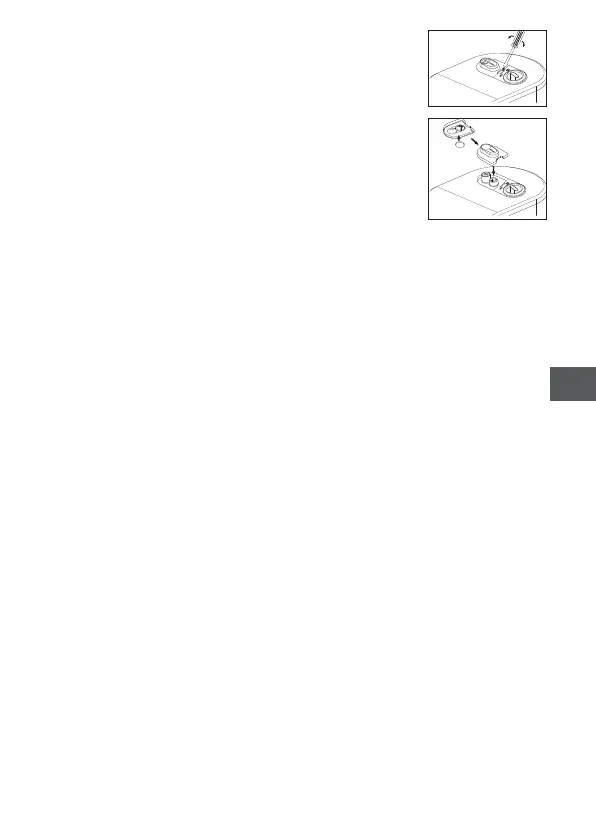
Remove the air filter cover using a flat screwdriver
as shown in figure; remove the filter and fit the new
filter as shown.
Put the air filter cover back in place.
Note: Do not wash or clean the air filter. If the air filter becomes wet, replace it.
Damp air filters can cause blockages.





 To Next Page