EasyManua.ls Logo

on stage TCM1500 - User Manual

on stage TCM1500
2 pages
Print Icon
To Next Page IconTo Next Page
Loading...
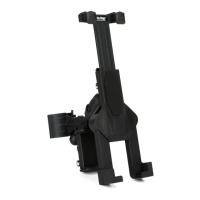
A Tablet holder
Lock lever
Mobile
Device
Powerbank
Lock lever
Tablet holder can extend
to accommodate a vast
array of tablet sizes.
B Main clamp
A Tablet holder
C Mobile device/
Powerbank holder
D Adapter
A
B
C
D
2.5"
4"
3.5"-9.5"
8"-12"
Mobile device/powerbank can
extend from 2.5" - 4"
Multiple products can be held securely
Tablet holder functions
Tablet
Tablet / Smart Phone Holder
TCM1500
Question and Answer IconNeed help?

Do you have a question about the on stage TCM1500 and is the answer not in the manual?

Summary

Tablet;Smart Phone Holder TCM1500 Overview

Tablet Holder Functions

Illustrates the operation and locking mechanisms of the tablet holder, highlighting adjustability.

Securely Held Products

Showcases the holder's versatility in securely accommodating various devices like mobile phones, tablets, and powerbanks.

Assembly Instructions

Assembly Steps

Provides sequential guidance for assembling the main clamp, adapter, and mobile device holder.

Ways to Utilize the Holder

Details multiple mounting options, including clamping on poles or desktops, and attachment to standard threads.

on stage TCM1500 Specifications

General IconGeneral
Brandon stage
ModelTCM1500
CategoryTablet Accessories
LanguageEnglish