21
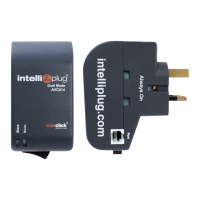
Dual Mode IntelliPlug AVC014
SECTION
Table of Contents
1
2
3 4 5
Congratulations
You have successfully programmed your IntelliPlug.
To use your television, point your remote control at the sensor and press the POWER ON button.
Your television will be activated into standby mode so continue to use your remote as normal.
If you lose your remote control you can activate power to your television and peripherals by briefly pressing the Sensor button.
Optional Accessories:
Programming and Interrogation Cable
This connects the AVC014 IntelliPlug to a Windows PC via a special USB / RJ12 cable, adapter and software.
This facilitates:
Easy programming of remote controls
Choosing and storing timer options
Interrogation of power usage of both Master and Peripheral connected equipment (see page 29)
For further information please visit www.oneclickpower.com
OPERATING THE INTELLIPLUG WITH THE REMOTE SENSOR


 To Next Page