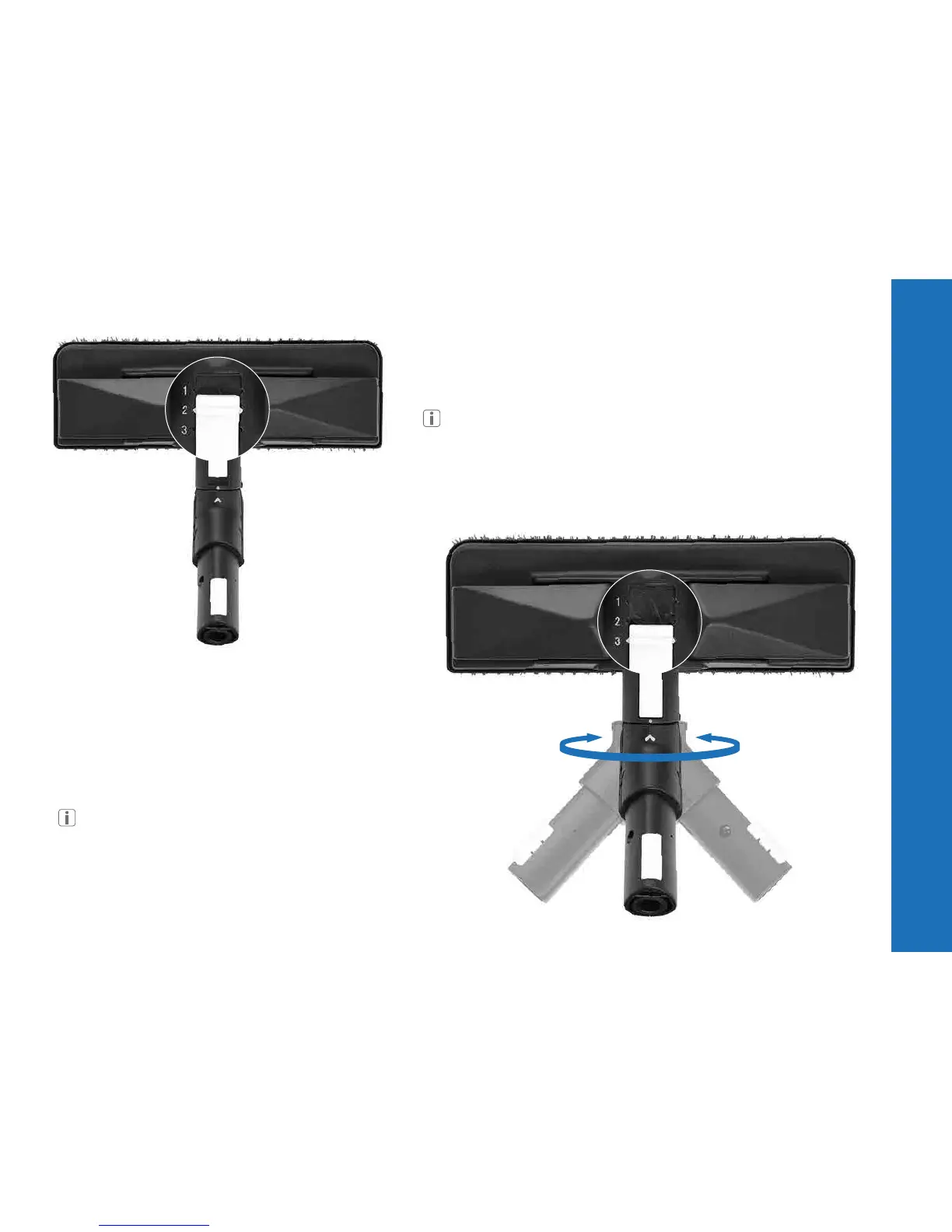
POSITION 2 - LOCKED
Slide the white lever to the second position (Locked) to prevent the tool
from rotating.
Make sure the arrow on the connector and the dot on the tool
are aligned before sliding the white lever.
POSITION 3 - ROTATION
Slide the white lever to the third position (Rotation)
to allow the tool to rotate.
Make sure the arrow on the connector and the dot on the tool
are aligned before sliding the white lever.
12



 To Next Page