50
EN
Get the network ready
For wireless LAN(WLAN) network connection: Cheak if WLAN LINK/ACT
light of the wired/wireless access point or router is illuminated. Consult the
user guide of that for any questions.
Note: WiFi allows date transfer over short distances within 20 meters
without the need of cabling between the devices. Any walls or ceilings may
reduce the strength of the WiFi connectivity.
• Therefore try to locate the Streamo and/or the access point within the
distance above, and avoid any obstacles between two devices.
• Connect the power adaptor to the back of the appliance and plug into
DC IN socket.
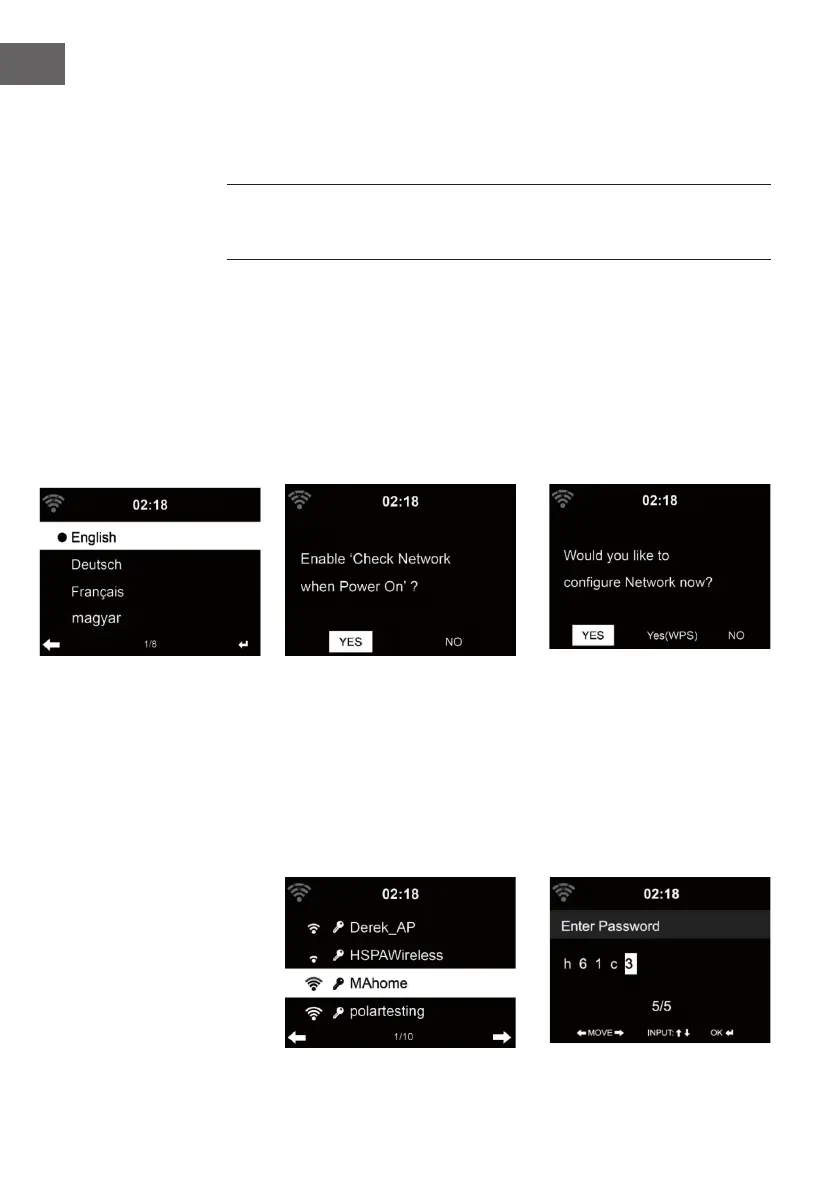
• When it is rst time running the device, the system will ask you to set
Language and Network Congurations.
1 2
1 2
3
• Select Yes to establish connection to the network
• Select Yes(WPS)(Only for WPS routers). Then press the WPS button on
your router.
If you answer ‘Yes’, the display goes to scanning for Wireless Network and
shortly afterwards a list of available wieless networks will appear.


 To Next Page