EasyManua.ls Logo

oneConcept V-12 - User Manual

oneConcept V-12
112 pages
Go to English
Print Icon
To Next Page IconTo Next Page
Loading...
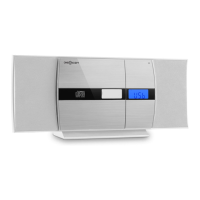
V-12
Stereoanlage
Stereo System
Equipo estéreo
Chaîne stéréo
Impianto stereo
Stereo-installatie
10006663 10006664
10009511 10009512
10009513 10009514
10027657 10027658

Table of Contents

Questions and Answers

Summary

Safety Instructions

General Safety Guidelines

General safety guidelines for device operation, handling, and user precautions.

Power Connection Safety

Safety precautions related to connecting the power adapter and supply.

Ventilation and Location

Guidelines for proper ventilation, placement, and avoiding noise interference.

Laser Safety Notes

Important safety information concerning the device's laser component.

Mounting

Pedestal Mounting

Instructions for attaching the pedestal to the main unit.

Speaker Connection

Steps for connecting the speakers to the main unit.

Wall Mounting

Instructions for mounting the unit on a wall using screws.

Commissioning and Operation

Connecting Power Supply

Guide on how to connect the power adapter and supply unit.

Battery Backup System

Explanation of the battery backup system for clock time retention.

Remote Control Battery Insertion

Procedure for inserting batteries into the remote control.

Setting the Time

Steps to set the current time on the device.

Radio Operation

Instructions and information related to radio tuning and reception.

Automatic Station Search

How to perform an automatic search for radio stations.

CD Player Operation

Detailed instructions for operating the CD player, including playback.

Playing an MP3 CD

Repeating Tracks

How to set the CD player to repeat single tracks or all tracks.

Track Navigation

Methods for navigating between tracks or searching within a track.

Programming Playback Order

How to create a custom playlist of tracks for programmed playback.

USB;SD Operation

Bluetooth Mode

Instructions for using Bluetooth mode with specific models (10009513 & 10009514).

External Audio Devices

How to connect and use external audio sources like laptops and MP3 players.

Setting the Alarm Clock

Setting Alarm Time

Steps for setting the desired alarm time on the device.

Alarm On;Off Control

How to enable or disable the alarm function using the control key.

Defining Alarm Types

How to define radio, CD, or wake-up sound alarms.

Troubleshooting

Disposal Considerations

Declaration of Conformity

oneConcept V-12 Specifications

General IconGeneral
Speakers2
CD-R playbackYes
CD changerNo
Device typeHiFi CD player
Product colorPink
AC adapter frequency50 Hz
Display typeLCD
Backlight colorBlue
Battery typeAA

Related product manuals