34
EN
PLAYING AN MP3 CD
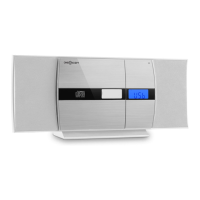
1. Switch on the machine by pressing the STANDBY key. The display goes on.
2. Press the MODE button to select the CD mode.
3. Open the CD door by pressing the OPEN/CLOSE mark on the CD door.
Insert an MP3 CD.
4. Press the ALBUM key and the disc information is displayed.
5. Playback will start from track 1 when the player has nished reading
the table of contents. The playback symbol appears continuously on the
display.
6. During playback, press the PLAY / PAUSE key to pause the playback.
The playback icon ashes. Press the PLAY / PAUSE key again to resume
playback.
Repeating a single title
If you press the REPEAT / SHUFFLE key once, the corresponding indicator
ashes on the display. The current track is repeated once.
Repeating all tracks
If you press the REPEAT / SHUFFLE key twice, the corresponding indicator
blinks on the display. The complete CD is repeated continuously.
To Cancel Repeat Function: Press the Repeat Button until the repeat indicator
is off.
Skip track / Search within a track
• In playback or pause mode, tap the / button to move to the next
track or back to the beginning of the current track.
• During playback, press and hold the / button to search for a
specic position within a title at high speed.


 To Next Page