EasyManua.ls Logo

Onelink 1042136 - User Manual

Default Icon
64 pages
Print Icon
To Next Page IconTo Next Page
Loading...
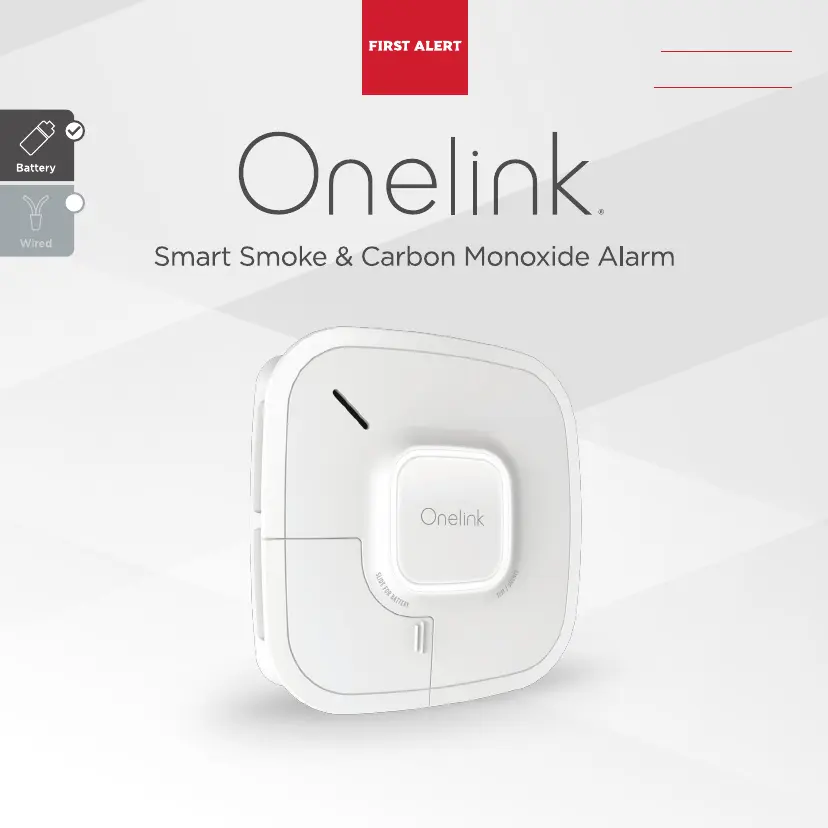
User’s Manual Model: 1042136
Important! Please read carefully and save this document.
This user’s manual contains important information about your combination Smoke and CO Alarm’s operation.
If you are installing this alarm for use by others, you must leave this manual (or a copy of it) with the end user.
Installed On
Replace by

Questions and Answers

  • G
    George AguirreJul 28, 2025
    Why does my Onelink 1042136 go off when there's no smoke?
    • W
      William MercadoJul 28, 2025
      If your Onelink Smoke Alarm sounds even when there's no visible smoke, it could be due to a non-emergency source like cooking smoke. You can silence the alarm via the app or by using the unit button. Try cleaning the alarm's cover with a soft, clean cloth. If these unwanted alarms persist, consider relocating the alarm, as it might be too close to the kitchen, a cooking appliance, or a steamy bathroom.
  • D
    Donald TownsendAug 2, 2025
    What to do if my Onelink CO Alarm keeps going off for no reason?
    • E
      Emily ThomasAug 2, 2025
      If your Onelink CO Alarm frequently goes off even after investigations reveal no high CO levels, the alarm might be improperly located. Try relocating the alarm. If the frequent alarms continue, have your home rechecked for potential CO problems, as you may be experiencing an intermittent CO issue.
  • T
    Thomas RandolphAug 6, 2025
    What to do if Onelink CO Alarm goes off again after silencing?
    • J
      Jose SmithAug 7, 2025
      If your Onelink CO Alarm goes back into alarm 4 minutes after you silence it, this indicates that CO levels suggest a potentially dangerous situation. If you're experiencing symptoms of CO poisoning, immediately evacuate your home and contact 911 or the Fire Department.
  • A
    Amber BrownAug 11, 2025
    Why is my Onelink 1042136 chirping every minute?
    • K
      Kathryn FoxAug 12, 2025
      If your Onelink Smoke Alarm is chirping once every minute, it indicates a low battery. Replace the battery immediately. You can order replacement batteries at www.firstalertstore.com.
  • F
    frederickwoodAug 16, 2025
    What does it mean when my Onelink 1042136 chirps 3 times?
    • R
      Richard HigginsAug 16, 2025
      If your Onelink Smoke Alarm is beeping three times every minute, it means the alarm has reached its end of life. You should immediately replace and deactivate the alarm.
  • S
    Shelly LivingstonAug 22, 2025
    Why is my Onelink Smoke Alarm flashing yellow and chirping?
    • R
      Raymond RobinsonAug 22, 2025
      If your Onelink Smoke Alarm light flashes yellow and the horn sounds three chirps every minute, accompanied by the voice message “Detector error. Please see manual or call customer service” every 5 hours, this indicates a malfunction signal. Units still under warranty should be returned to the manufacturer for a replacement.

Summary

Welcome

System Requirements

Details on the necessary wireless network, operating system, and app for the alarm's functionality.

Parts of this Alarm

Understanding Your Alarm

Where to Install

Recommended Placement

Guidelines for optimal positioning of smoke and CO alarms on walls and ceilings.

Installing Smoke;CO Alarms in Mobile Homes

Specific recommendations for installing smoke/CO alarms in mobile homes.

Where Not to Install

Setup & Installation

Wireless Interconnect

Benefits of Wireless Interconnect

Explains how alarms can communicate wirelessly, sounding together when one alarms.

Adding Additional Alarms

Instructions on how to add more Onelink alarms to your existing account.

Identification of Events

Importance of identifying the type of alarm event when the unit sounds.

When the Alarm Sounds

What To Do If The Smoke Alarm Sounds

Immediate actions to take when the smoke alarm activates, emphasizing urgency.

Using the Silence Feature

The Silence Feature

Temporarily quieting the alarm horn during non-emergency situations for identification.

Silence the End of Life Signal

Temporarily silencing the 'chirp' notification for an alarm that has reached its end of life.

Weekly Testing

Regular Maintenance

Replacement Batteries

Information on the type of batteries required and where to purchase them.

To Replace Batteries

Step-by-step instructions for safely removing and replacing the alarm's batteries.

Alarm End of Life

Permanently Deactivating the Alarm

Procedure for permanently disabling the alarm unit after its operational life.

Ionization & Photoelectric Technology

Ionization Technology

Explanation of ionization technology's sensitivity to small particles in flaming fires.

Fire Safety Tips

Basic Safety Information

General advice on maintaining alarms, fire extinguishers, and escape routes.

What You Need to Know About CO

What is CO?

Defines Carbon Monoxide (CO) as a gas produced by incomplete fuel combustion.

Symptoms of CO Poisoning

Details the mild, medium, and extreme symptoms associated with carbon monoxide exposure.

Potential Sources of CO in the Home

Finding the Source of CO After an Alarm

Factors making it difficult to locate CO sources after an alarm, and company disclaimer.

Regulatory Information for CO Alarms

What Levels of CO Cause an Alarm?

Specifies CO alarm trigger points (ppm) and exposure times as per UL2034 standard.

Regulatory Information for Smoke Alarms

Installing Smoke Alarms in Single-Family Residences

NFPA recommendations for smoke alarm placement in single-family homes.

Recommended Placement

Federal Communications Commission (FCC) Compliance Statement

Industry Canada (IC) Compliance Statement

Modular Devices FCC and Industry Canada Compliance Statements

OEM Responsibilities to comply with FCC and Industry Canada Regulations

Details OEM obligations for integrating and certifying modules with FCC and IC regulations.

End Product Labeling

Requirements for labeling the final product with FCC ID and IC Certification Numbers.

Special Compliance Considerations

HUD MAP Program

Specific battery requirements for HUD battery-powered smoke alarm applications.

General Limitations for Smoke;CO Alarms

Troubleshooting Guide

App FAQ

Answers to frequently asked questions about the Onelink mobile application.

Alarm FAQ

Troubleshooting common issues and signals from the smoke and CO alarm unit.

Carbon Monoxide Alarm ONLY

Specific troubleshooting steps for carbon monoxide alarm related issues.

Smoke Alarm ONLY

Specific troubleshooting steps for smoke alarm related issues.

Limited Warranty

How to Obtain Warranty Service

Instructions on how to contact customer service for warranty claims and repairs.

Disposal

Guidelines for environmentally responsible disposal of the smoke/CO alarm.

Copyright and Technical Specifications

Onelink 1042136 Specifications

General IconGeneral
CategorySmoke Alarm
Power SourceHardwired with Battery Backup
Voice AlertsYes
Mobile AppOnelink Home App
ColorWhite
Product NameOnelink Safe & Sound
TypeSmoke and Carbon Monoxide Detector
ConnectivityWi-Fi
Smart Home IntegrationAmazon Alexa
Sensor TypePhotoelectric
Smart Home CompatibilityAmazon Alexa, Apple HomeKit