5
Specifications
Audible unit:
Audio decoding: aptX, AAC, SBC
Frequency range: 20 Hz - 20 kHz
Waterproof rating: IPX5
Battery life:
•
•
•
•
•
•
•
•
•
•
•
5-minute charging for 1-hour of play
Full charge duration:
Charging port: Type C
Rated input: 5 V 400 mA
Support: A2DP, AVRCP, HFP, HSP
Weight:
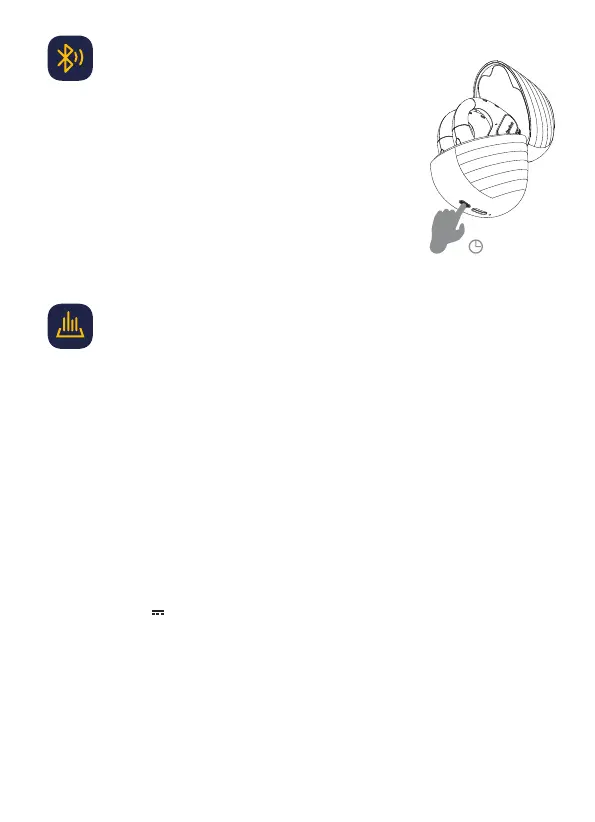
1. Place the headset inside the charging case and keep it open
2. Press and hold the button on the charging case for 10s
3. Release button after the green indicator light on the charging
case has flickered twice
4. Pairing settings have now been reset
Restore factory settings
10″


 To Next Page