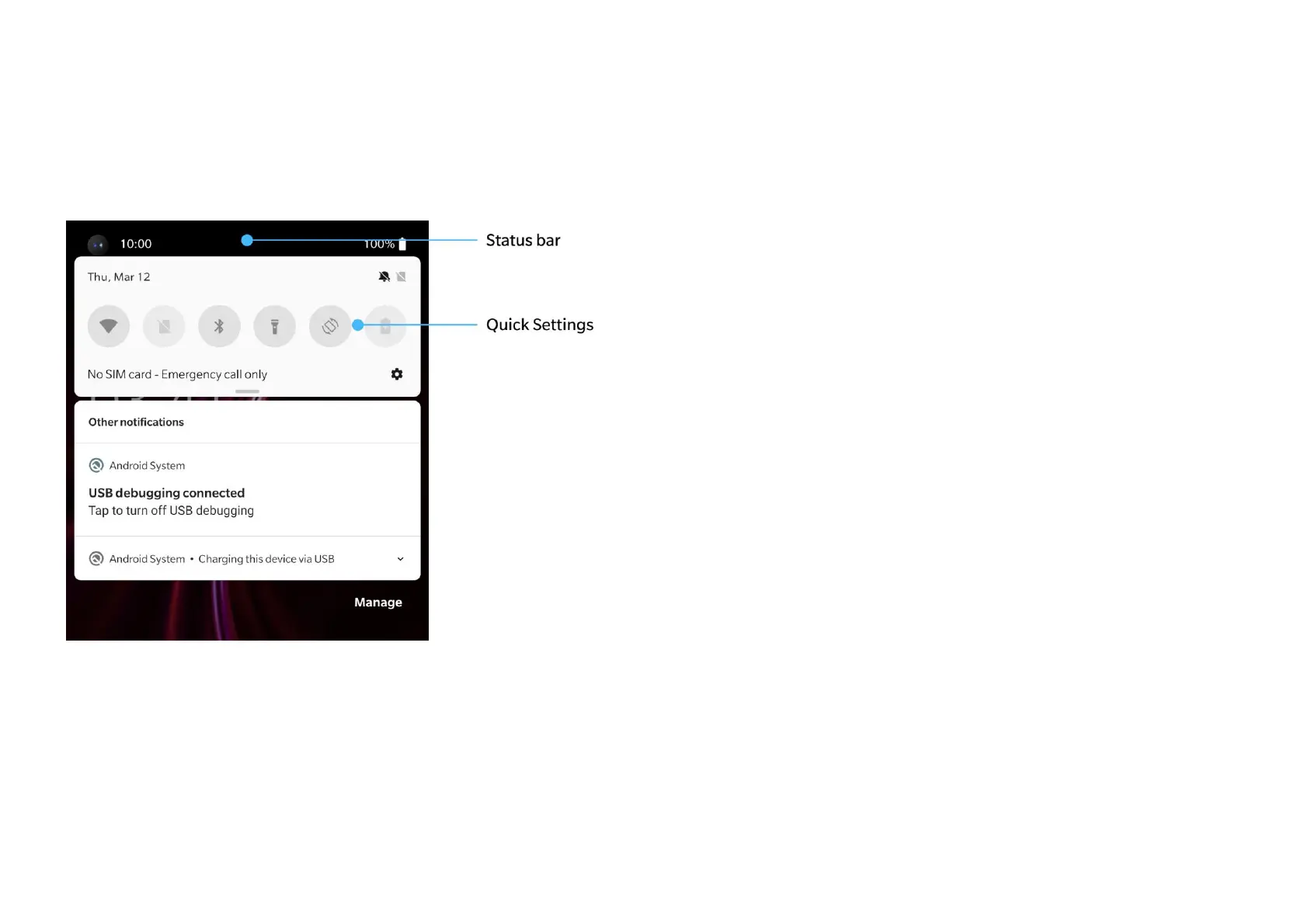
Notification panel
When a new system notification or app
notification is received, the status bar will display
the corresponding icon. Pull down the
notification panel by swiping down from the top
of the application page or anywhere on the
home screen.
You can clear a notification by swiping it right
(Some notifications need to be cleared by
closing the related app).
Long press a notification to enter the
notification settings for that app.
Quick Settings
Tap the quick settings icon to turn on/off
specific functions quickly.
Press and hold an icon in the quick settings
menu to open the corresponding settings



 To Next Page