Home
OnePlus
Cell Phone
8 5G UW
Page 74 (Camera Features and Modes)
OnePlus 8 5G UW - Camera Features and Modes
112 pages
Manual
Save Page as PDF
To Next Page
To Next Page
To Previous Page
To Previous Page
Loading...
Camera
The
OnePlus
8
5G
UW
camera
offers
powerful
photo
and
video
capabilities,
including
portrait
mode,
pro
mod
e,
slow-moti
on
video,
panorama
mode, and more.
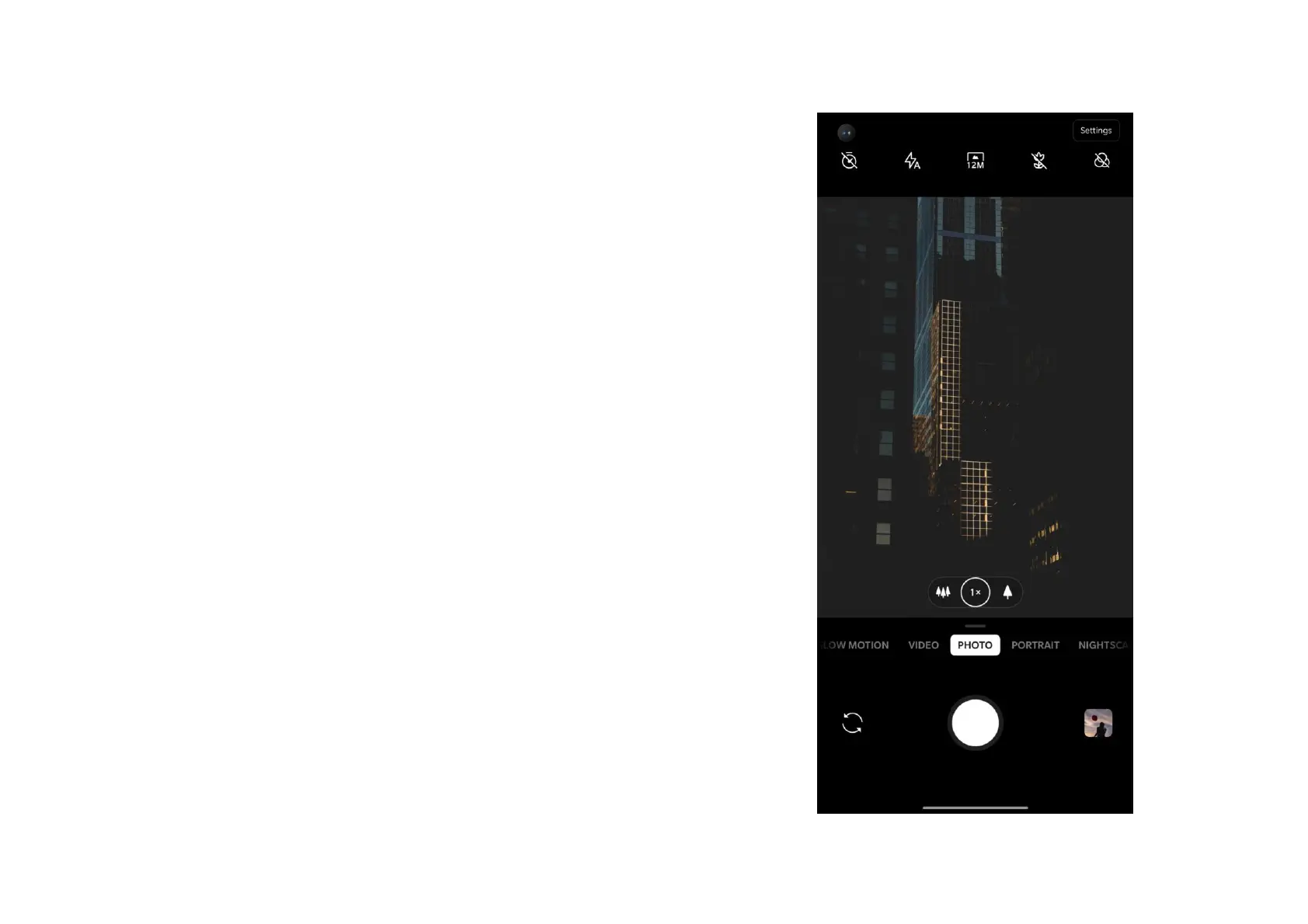
PHOTO
According
to
the
picture,
the
main
interface
functions of the camera are as follows:
73
75
Table of Contents
Main Page
Default Chapter
3
Table of Contents
3
Getting Started
10
Front View
11
Back View
12
Setting up Your Device
13
Battery and Charging
13
Physical Buttons
15
Transfer Data to Oneplus 8 5G UW
17
The Basics
19
Basic Gestures
20
Install and Uninstall Apps
21
Use Apps
22
Home Screen
23
Notification Panel
26
Google Assistant
29
Settings
31
Wi-Fi & Internet
32
Wi-Fi
32
SIM & Network
33
Dual-Channel Network Acceleration
33
Data Usage
34
Advanced Calling
34
Mobile Hotspot & Tethering
34
Bluetooth & Device Connection
36
Bluetooth
36
Nfc
37
Android Beam
37
Tap & Pay
37
Display
38
Customization
40
Lock Screen Customization
40
System Customization
40
Sound & Vibration
41
Volume
41
Dolby Atmos
41
Do Not Disturb
42
Earphone Mode
43
Ringtone & Vibration
43
System
43
Buttons & Gestures
43
Alert Slider
44
Navigation Bar & Gestures
44
Quick Gestures
46
Quick Turn on Camera
47
Press and Hold the Power Button
47
Utilities
47
Security & Lock Screen
48
Security Status
48
Device Security
49
Personal Security
51
Location
52
Privacy
53
Permission Manager
53
Show Passwords
53
Lock Screen
53
Apps & Notifications
53
System
55
Accessibility
55
Language & Input
55
Date & Time
56
Backup
56
Reset Options
56
OTG Storage
57
Experience Improvement Programs
57
Multiple Users
58
RAM Boost
58
Accounts
59
Digital Wellbeing & Parental Controls
59
Battery
61
Storage
61
About Phone
62
Apps
64
Phone
65
Contacts
66
File Manager
68
Messages
69
Weather
70
Calculator
71
Recorder
72
Notes App
73
Gallery
77
Clock
78
Zen Mode
80
Oneplus Switch
81
Google Apps
82
Advanced
84
Gaming Mode
85
Do Not Disturb
86
Cast Screen
86
Scheduled Power On/Off
87
Screen Pinning
87
Parallel Apps
88
Picture-In-Picture
88
Hidden Space
89
Reboot, Update, Backup, Recovery
90
Reboot or Force Reboot
91
System Updates
91
Backup and Restore
91
Backup and Restore by Oneplus Switch
91
Use Google Drive for Backup and Recovery
91
Factory Reset
92
Accessibility
94
Magnify with Triple-Tap
95
Power Button Ends Call
95
Color Inversion
95
Color Correction
96
High Contrast Text
96
Safety Information
97
Legal Notice
98
Declaration
98
Trademarks and Permissions
98
Privacy Policy
99
Safety
100
General Safety Information
100
Battery Safety
101
Charging Safety
102
Driving Safety
104
Health Information
105
Rohs Compliance
105
FCC Regulatory Conformance
106
FCC Statement
106
FCC Caution
107
RF Exposure Information (SAR)
108
Hearing Aid Compatibility (HAC) Regulations for Mobile
109
Phones
109
Care and Maintenance
111
Related product manuals
OnePlus 8 Pro
135 pages
OnePlus 9RT 5G
117 pages
OnePlus 10R 5G
93 pages
OnePlus 10T 5G
117 pages
OnePlus 7T Pro 5G
20 pages
OnePlus Nord 2T 5G
111 pages
OnePlus Nord N30 5G
44 pages
OnePlus Nord N200 5G
19 pages
OnePlus Nord N300 5G
114 pages
OnePlus Nord CE 2 Lite 5G
118 pages
OnePlus 9
131 pages
OnePlus 11
60 pages



 To Next Page