Instructions:
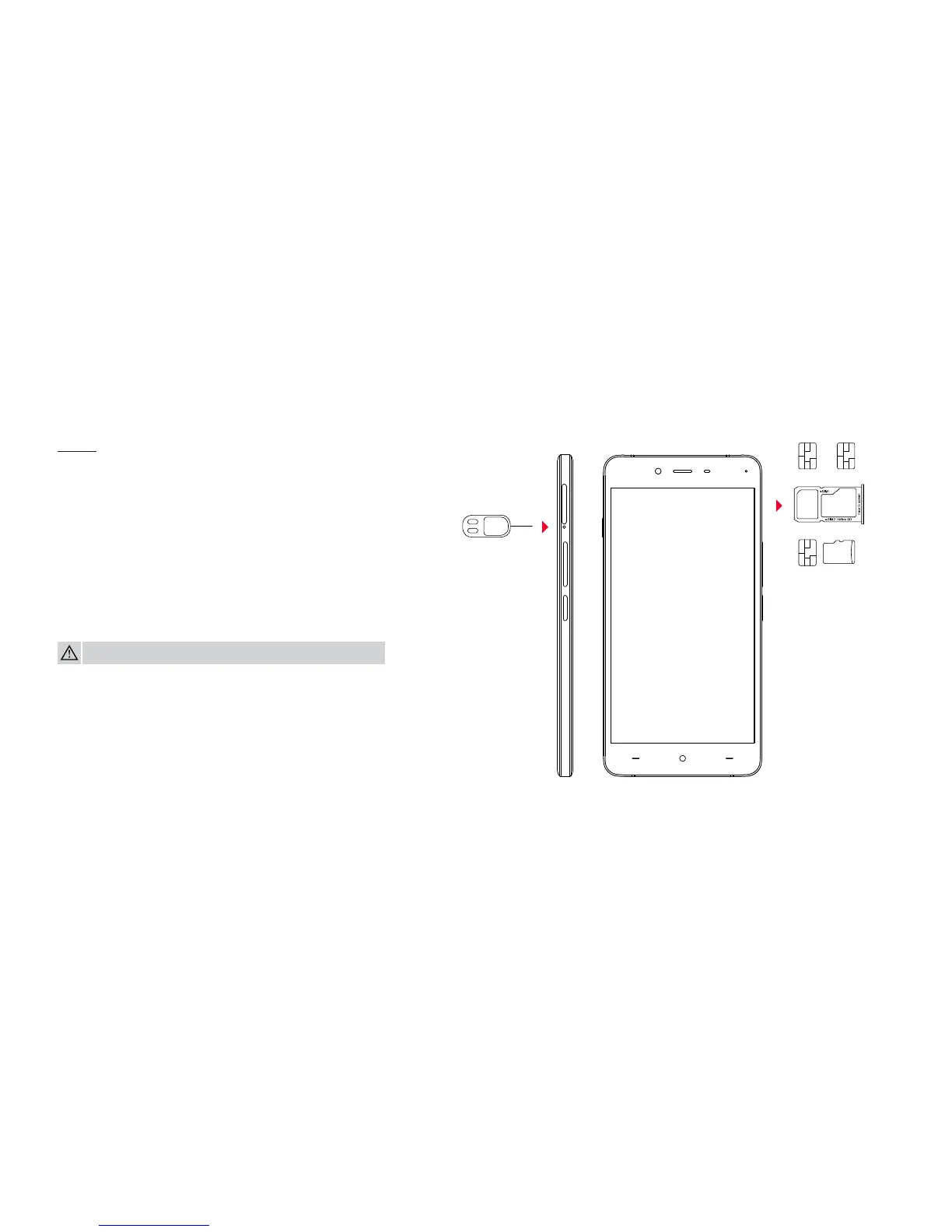
Using the SIM ejector tool, remove the SIM tray from the
device. You can place either two nano SIM cards into the
tray, or one nano SIM and one Micro SD card for up to
128GB of expandable storage.
Dual Nano SIM / Micro SD Card Tray
There’s no need to lug around two phones or change out
your SIM cards while traveling. Stay connected to two
networks, simultaneously!
WARNING: Please do not insert your card(s) directly into the device.
Device



 To Next Page