20User ManUal v1.6
APPENDIX A: GUIDE TO 1T PANEL
1T Panel is a Windows program that sends MIDI commands, and is designed for ease of
controlling any oneTesla interrupter, particularly tinyTesla’s interrupter which is controlled
over USB.
Download 1TPanel at onetesla.com/downloads.
1T Panel Features:
n Fixed frequency (single-tone) and MIDI modes of control
n Volume control
n Pitch control in xed frequency mode
n MIDI song playlist
n MIDI analysis tools
Overview
Controls
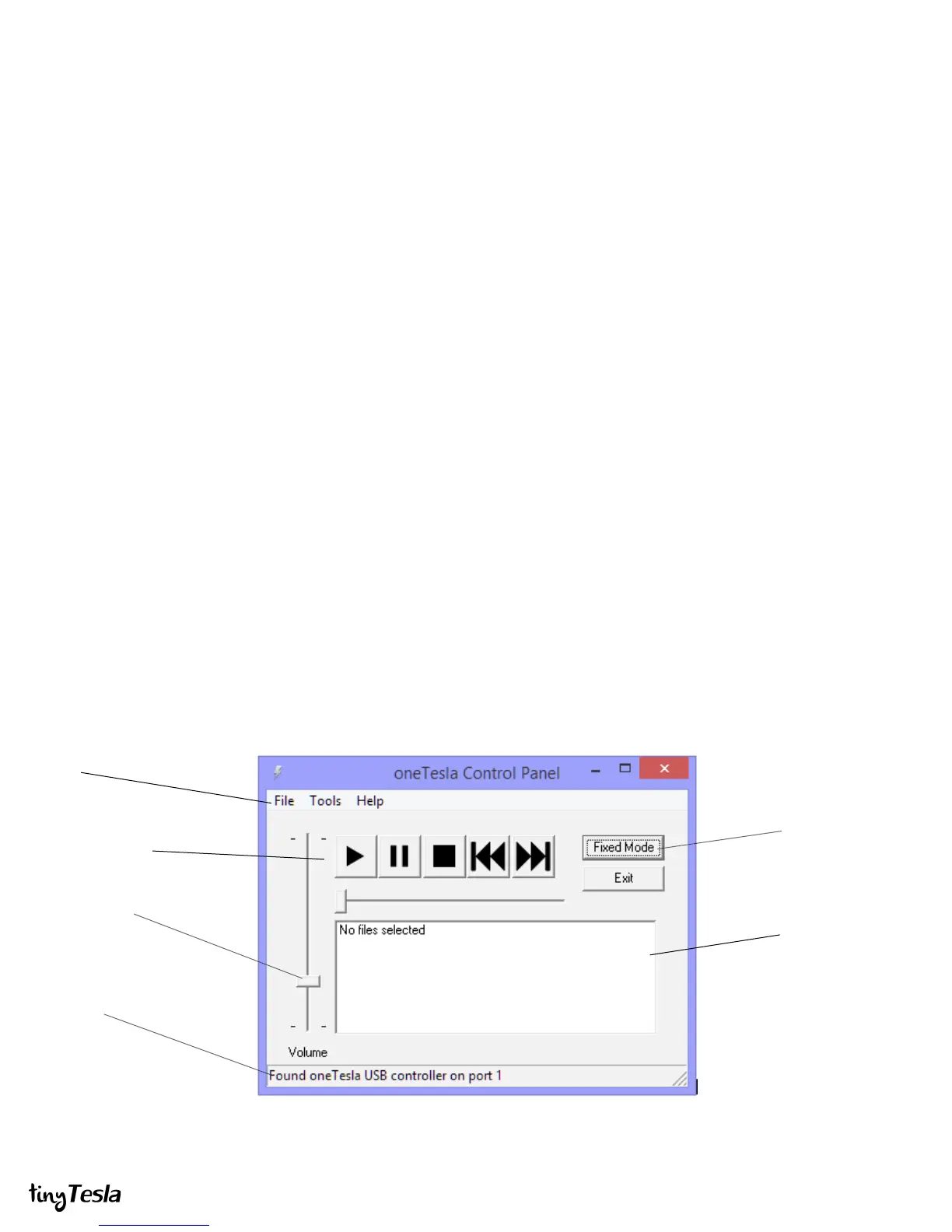
When you open the software, the status bar at the bottom of the window should show
Found oneTesla USB controller on port X. If no controller is plugged in, or if your
controller isn’t working, it should show Error: no controller found. Furthermore, if your
controller is malfunctioning, chances are Windows will throw an error when it tries to
initialize the device.
Non-Windows Users
If you’re a Mac or Linux user unable to install
1TPanel, you can control your Tesla coil interrupter
with any MIDI playback software that supports
output to USB devices. Ensure that the software
lets you send Master Volume commands in order to
set the overall coil power level. The tinyTesla
interrupter accepts commands on MIDI channel 0.
Always check your software for correct behavior
by looking into the output of the optical transmitter
before connecting your interrupter to the coil! This
is especially important if using software other than
1T Panel.
Menus
Playback Controls
Volume Control
Status Bar
Fixed Mode Selector
Song Queue
{
{


 To Next Page
 Loading...