21User ManUal v1.6
Volume
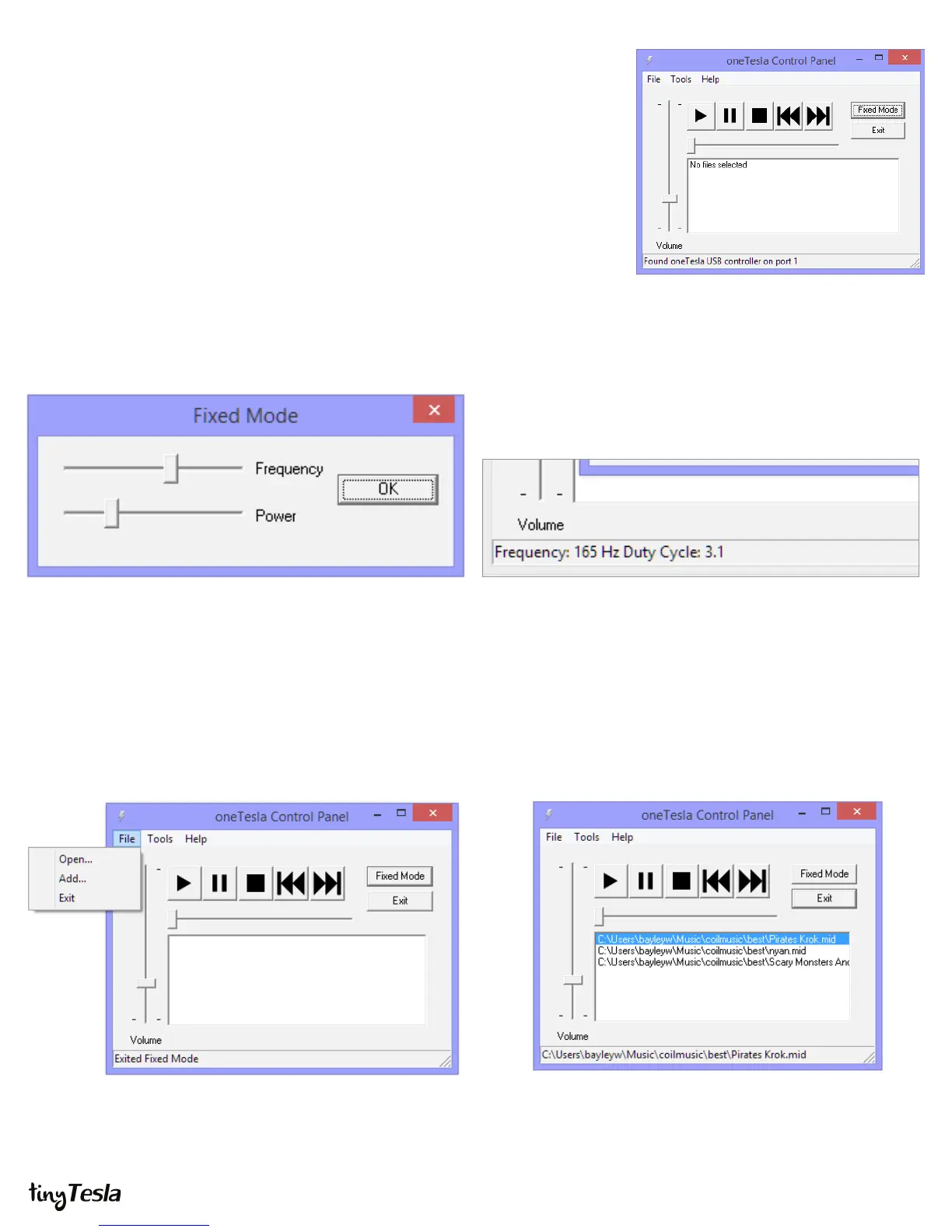
Drag the Volume slider up or down to change the master volume for all modes. If you’re
starting your coil for the rst time or doing a test after changes, you should drag it all the
way down before pressing play. Always start on low power and gradually increase the
power, watching your coil for problems.
Fixed Mode
Playing a Song
To open a song, use the File menu. Open replaces the entire
queue with a single song. Add adds a song to the end of
the queue.
Click a song in the queue and click the Play arrow to start it. The
slider is an indicator and does not seek.
If you click Fixed Mode the following dialog pops up. Dragging the sliders changes the frequency and power (note that
adjusting xed mode power does not adjust master volume). In
xed mode, the status bar displays the frequency and the duty
cycle. Duty cycle is given in percent.


 To Next Page
 Loading...