34
2
Setting up your system
Syncing to send results wirelessly to the
OneTouchReveal
®
Mobile App
After pairing the meter with your compatible
wireless device, you are ready to send results to the
OneTouchReveal
®
Mobile App.
1. Open the OneTouchReveal
®
Mobile App on your
compatible wireless device
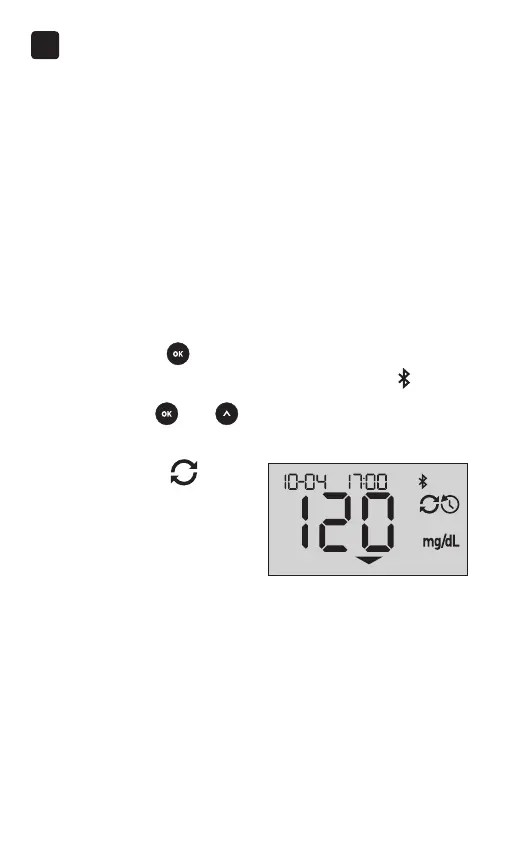
2. Press and hold
to turn the meter on and make sure
the BLUETOOTH
®
feature is ON as indicated by ( )
If needed, press
and at the same time to turn the
BLUETOOTH
®
feature on.
The Sync symbol (
)
flashes on the meter display.
"Syncing Data" will appear
on the app to notify you that
the meter is communicating
with the app.
Syncing Data




 To Next Page