Press or to select SET UP and press .
Then select
METER SETTINGS and press .
Press or to highlight the desired display
language and press .
Press or to highlight the desired date
format—month first (MM-DD-YYYY) or day first
(DD-MM-YYYY). Press .
Blood
Glucose
Monitoring
S
ystem
If the code on the meter does not match the code on the
test strip vial, press or to match the code number on the
test strip vial. The display will then advance to the APPLY BLOOD
screen.
The meter is now ready to perform a blood glucose test.
If the
APPLY BLOOD screen appears before you are sure the codes
match, remove the test strip and re-start from step 1.
Coding the meter
Abbreviated Procedure Guide
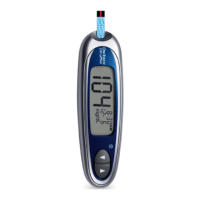
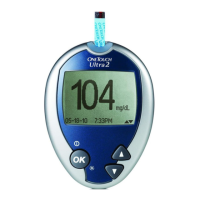
With the meter off, insert a test strip
into the test port. The three contact bars
should be facing you. The meter will turn
on and display the code from your last
test. If you are using the meter for the
first time, a flashing “––” appears
instead of a code.
IMPORTANT: Read detailed instructions and other
important information in your owner’s booklet.
2
1
L
ink the Effects of Food to Glucose Results
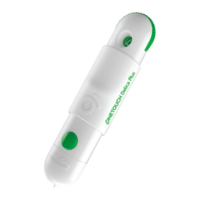
After loading a
lancet into the
OneTouch
®
UltraSoft
®
Blood Sampler, press
it firmly against the
side of your finger.
Press the release
button.
Getting a blood sample from your fingertip
1
With the meter off, press and hold for two seconds to access the MAIN
MENU. Whenever the meter is on, press and hold for two seconds to
turn the backlight on or off.
B
efore using your meter for the first time, you should check and update
basic settings.
Getting started
Press or to select the preferred time
format—AM/PM or 24 hour. Press .
.Press or to set the hour and press .
Repeat this step to set the minutes.
If your settings are correct, press to confirm
and save your settings.
1
2
5
4
6
Gently squeeze
and/or massage your
fingertip until a round
drop of blood
of at
l
e
ast one microliter
( actual size)
forms
on your fingertip.
2
A
W
086-133-01A
Call Customer Service toll-free,
24 hour
s
a d
a
y
, 7 d
ays a week
English 1
800 227-8862
• Español 1
800 381-7226
O
r
,
Visit us at www.lifescan.com
© 2005 LifeScan, Inc. Milpitas, CA 95035
Need help?
Press or to change the first value and
press . Follow the same procedure to change the
second and third values.
3
Rev. date: 12/05
Check AM/PM. If not correct, continue to
press or until the hour and “AM” or
“PM” are correct.
m WARNING: If the display does not show mg/dL,
c
ont
act Customer Service.

 Need help?
 General




 To Next Page