Need help?
Do you have a question about the Onida Fire TV edition 32HIF1 and is the answer not in the manual?
Instructions for inserting batteries into the remote control.
Guide for attaching the stand or wall mount for 43-inch models.
Guide for attaching the stand or wall mount for 32-inch models.
Details on connecting various input/output sources to the TV.
Detailed explanation of all buttons and their functions on the remote.
Comprehensive guide for the first-time TV setup process.
Process for selecting the preferred language during initial setup.
Steps to connect the TV to the internet via wired or wireless methods.
How to connect to Wi-Fi using the router's WPS button.
How to connect to Wi-Fi using a WPS PIN code.
Steps to sign in or create an Amazon account for TV services.
Registering the TV and choosing to save Wi-Fi password to Amazon.
Option to enable or disable parental controls for content access.
Guide for selecting and downloading popular applications during setup.
Process for scanning and tuning TV channels.
Managing scanned channels by assigning favorites or hiding them.
Description of various input and output ports on the TV.
How to connect a cable or DTH box using HDMI.
Steps to connect devices using AV composite cables.
Guide for connecting an antenna to the TV.
How to connect a DVD or Blu-ray player using HDMI.
Connecting DVD/Blu-ray players using AV composite cables.
Steps to connect a computer to the TV via HDMI.
How to connect the TV to the internet using an Ethernet cable.
How to connect and use a USB flash drive with the TV.
How to connect and use an IR Blaster for remote control.
Guide for connecting external audio systems using SPDIF.
How to send digital audio to receivers using HDMI/ARC.
Instructions for connecting the TV's power cord and safety precautions.
Technical specifications for 32HIF1 and 43FIF1 models.
Technical specifications for 32HIZ/43FIZ series models.
Instructions for installing a rock speaker box for 32" and 43" TVs.
Critical advice for safe TV operation, placement, and handling.
Guidelines for safe TV placement to prevent falls and injury.
Recommendations for safe TV operation and handling.
Safety advice for mounting the TV on walls or ceilings.
Precautions when moving older CRT televisions.
Essential safety instructions regarding electrical hazards and product use.
Critical warnings covering electrical, lightning, and panel handling risks.
Warnings about electric shock risks and user-serviceable parts.
Advice on unplugging the TV during lightning storms.
Instructions for safe handling of the LCD panel to avoid breakage.
Importance of using specified replacement parts for safety.
Advice on preventing condensation and handling environmental factors.
Warning about potential interference from mobile phones.
Information on environmentally sound disposal of the product.
Warning against covering ventilation slots to prevent overheating.
Guide to diagnose and resolve common TV problems.
Details of the TV's warranty coverage and limitations.
Conditions under which the product warranty becomes invalid.
Contact details and warranty card information for service.
Customer care number, timing, and email for support.
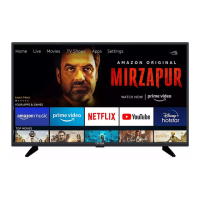
This document describes the Onida Fire TV Edition, a smart television designed for an enhanced viewing experience with integrated smart features.
The Onida Fire TV Edition is a smart television that allows users to access a wide range of content, including streaming services, live TV, and apps. It features built-in Alexa for voice control, enabling users to search for content, control playback, and manage smart home devices using voice commands. The TV supports high-definition video and audio, providing an immersive entertainment experience. It also incorporates eco-friendly power-saving technology, automatically entering standby mode after 15 minutes of inactivity to conserve energy.
Initial Setup: Upon the first power-on, the TV guides users through an initial setup process. This includes selecting a language (English or Hindi), connecting to the internet (wired, wireless, or WPS), and signing into an Amazon account. Users can choose to save their Wi-Fi password to their Amazon account for convenience and enable parental controls if desired.
Internet Connection: The TV offers multiple ways to connect to the internet:
Amazon Account Integration: A key feature is the deep integration with Amazon services. Users need an Amazon account to fully utilize the smart features. The setup process involves entering Amazon login credentials (email and password) to register the TV to their account.
App Selection and Download: During the initial setup, users can select popular apps to download from various categories (Popular Services, Movie & Music Services, Original Show Services). These apps download in the background while the TV tunes in. Users can choose to skip this step and download apps later.
Tuning Live TV: The TV supports analogue channel tuning. Users can access the "Settings" menu from the Home screen, select "Live TV," and then "Channel Scan" to find available channels. After scanning, channels can be managed by assigning them as "Favourites" or "Hidden."
Input/Output Sources: The TV provides various input and output options for connecting external devices:
Remote Control: The remote control is central to operating the TV. It includes buttons for power, voice control (Alexa), navigation (up, down, left, right), select, back, home, menu, volume control (+/-), mute, play/pause, skip/rewind/fast forward, channel navigation (up/down), guide, quick settings, and direct access buttons for Prime Video, Netflix, Amazon Music, and Apps. The remote automatically pairs with the TV, but manual pairing is possible by holding the "HOME" button for 10 seconds.
Connecting External Speakers/Soundbar: Users can connect external speakers or a soundbar via SPDIF or HDMI/ARC. For SPDIF, a digital audio cable connects the TV to the speaker system. For HDMI/ARC, an HDMI cable connects the TV's HDMI1/ARC port to an ARC-enabled soundbar or AV receiver. The TV's audio output settings can be adjusted (e.g., PCM or Dolby Digital) and TV speakers can be turned off if external audio is preferred.
Connecting a Cable/Set-Top Box/DTH: The TV supports connecting cable or set-top boxes via HDMI, AV/Composite, or Coaxial/Antenna. HDMI is recommended for HD channels, while AV/Composite is suitable for SD channels.
Connecting a DVD/Blu-ray Player: DVD or Blu-ray players can be connected via HDMI or AV/Composite. HDMI is recommended for the best video quality.
Connecting a Computer: Computers can be connected via HDMI to display content on the TV.
Connecting a USB Flash Drive: USB flash drives can be plugged into the USB port to access and play compatible media files (video, image, audio).
IR Blaster Usage: The IR Blaster allows the TV to control other IR-enabled equipment, especially useful for devices placed inside closed cabinets. The IR extender cable should be securely plugged into the TV, and its other end placed close to the device to be controlled.
Safety Precautions: The manual emphasizes several safety guidelines:
Troubleshooting: The manual provides a troubleshooting section for common issues:
Warranty Information: The TV comes with a one-year warranty against manufacturing defects. The warranty is void if the TV is misused, neglected, improperly installed, tampered with by unauthorized agencies, or if the warranty card is not dispatched within 10 days of purchase. It also clarifies that the company is not liable for transit damage, dealer expenses, or delays due to spare part unavailability.
End-of-Life Directives: The TV contains recyclable materials. Users are advised to channelize end-of-life products through authorized dismantlers and recyclers according to Government of India's E-Waste Management Rule 2016, to ensure environmentally sound management. It cannot be disposed of with general household waste.
Service Center Information: Contact details for Onida Customer Care (phone number and email) are provided for support and service.
 General
| Screen Size | 32 inches |
|---|---|
| Resolution | 1366 x 768 pixels |
| Display Type | LED |
| Smart TV | Yes |
| Operating System | Fire OS |
| Audio Output | 20 W |
| HDMI Ports | 3 |
| USB Ports | 2 |
| Wi-Fi | Yes |
| Bluetooth | Yes |
| Refresh Rate | 60 Hz |
| Processor | Quad-Core |
| RAM | 1 GB |
| Storage | 8 GB |
| Speaker Channels | 2 |

 To Next Page