EasyManua.ls Logo

Onkyo TX-84 - Using the Remote Control Transmitter; Operation; Tape Operation; Phono Operation (PLAY;REJECT) (RC-84 S only)

Onkyo TX-84
14 pages
Print Icon
To Next Page IconTo Next Page
To Previous Page IconTo Previous Page
Loading...
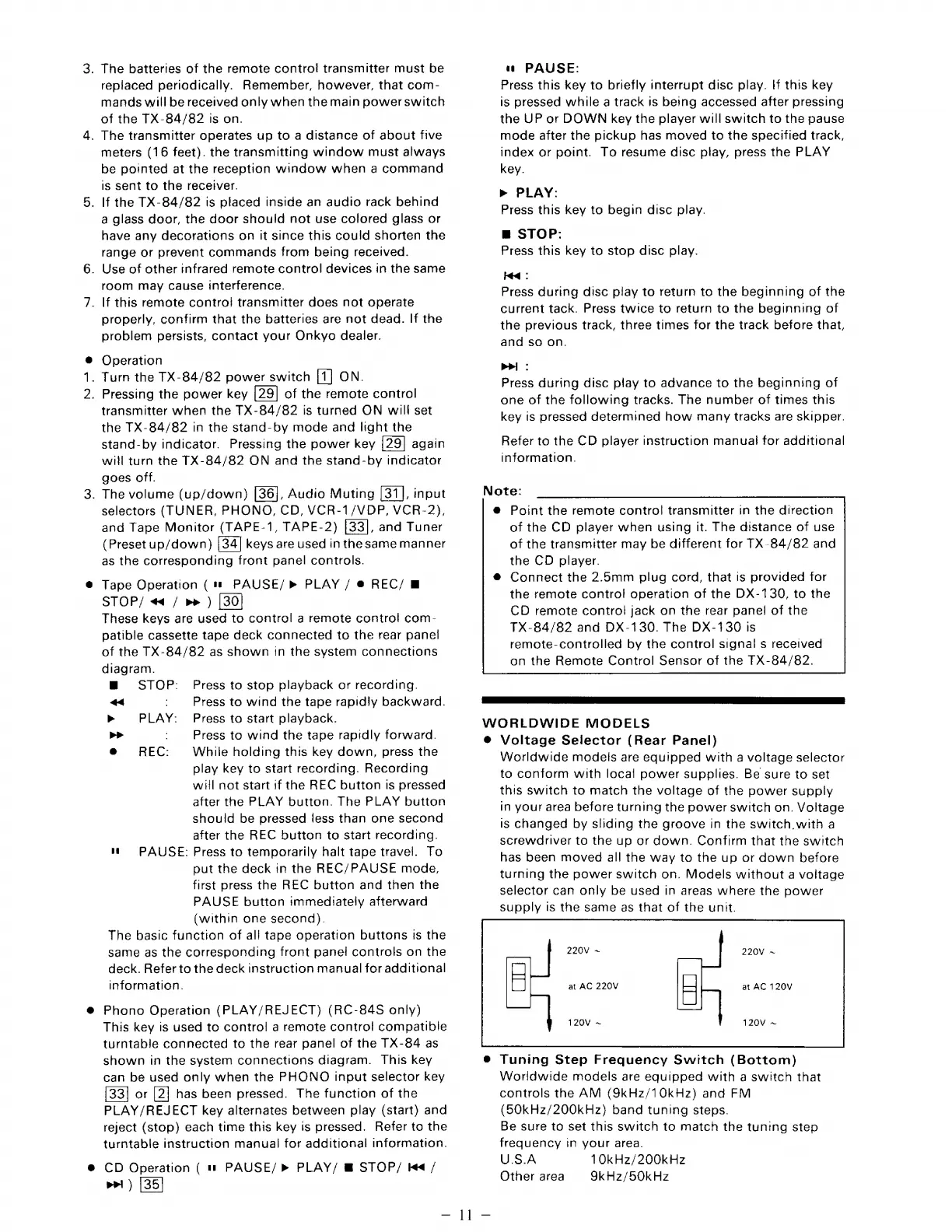
.
The
batteries
of
the
remote
control
transmitter
must
be
replaced
periodically.
Remember,
however,
that
com-
mands
will
be
received
only
when
the
main
power
switch
of
the
TX-84/82
is
on.
.
The
transmitter
operates
up
to
a
distance
of
about
five
meters
(16
feet).
the
transmitting
window
must
always
be
pointed
at
the
reception
window
when
a
command
is
sent
to
the
receiver.
.
If
the
TX-84/82
is
placed
inside
an
audio
rack
behind
a
glass
door,
the
door
should
not
use
colored
glass
or
have
any
decorations
on
it
since
this
could
shorten
the
range
or
prevent
commands
from
being
received.
.
Use
of
other
infrared
remote
control
devices
in
the
same
room
may
cause
interference.
.
If
this
remote
control
transmitter
does
not
operate
properly,
confirm
that
the
batteries
are
not
dead.
If
the
problem
persists,
contact
your
Onkyo
dealer.
Operation
_
Turn
the
TX-84/82
power
switch
ON.
.
Pressing
the
power
key
of
the
remote
control
transmitter
when
the
TX-84/82
is
turned
ON
will
set
the
TX-84/82
in
the
stand-by
mode
and
light
the
stand-by
indicator.
Pressing
the
power
key
again
will
turn
the
TX-84/82
ON
and
the
stand-by
indicator
goes
off.
_
The
volume
(up/down)
[36],
Audio
Muting
[31],
input
selectors
(TUNER,
PHONO,
CD,
VCR-1/VDP,
VCR-2),
and
Tape
Monitor
(TAPE-1,
TAPE-2)
[33],
and
Tuner
(Preset
up/down)
keys
are
used
in
the
same
manner
as
the
corresponding
front
panel
controls.
Tape
Operation
(1
PAUSE/»
PLAY
/
@
REC/
&
STOP/
«4
/
p>
)
These
keys
are
used
to
control
a
remote
control
com-
patible
cassette
tape
deck
connected
to
the
rear
panel
of
the
TX-84/82
as
shown
in
the
system
connections
diagram.
mw
STOP:
Press
to
stop
playback
or
recording.
a4
Press
to
wind
the
tape
rapidly
backward.
>
PLAY:
Press
to
start
playback.
>>
Press
to
wind
the
tape
rapidly
forward.
@
REC:
While
holding
this
key
down,
press
the
play
key
to
start
recording.
Recording
will
not
start
if
the
REC
button
is
pressed
after
the
PLAY
button.
The
PLAY
button
should
be
pressed
less
than
one
second
after
the
REC
button
to
start
recording.
nu
6M
PAUSE:
Press
to
temporarily
halt
tape
travel.
To
put
the
deck
in
the
REC/PAUSE
mode,
first
press
the
REC
button
and
then
the
PAUSE
button
immediately
afterward
(within
one
second).
The
basic
function
of
all
tape
operation
buttons
its
the
same
as
the
corresponding
front
panel
controls
on
the
deck.
Refer
to
the
deck
instruction
manual
for
additional
information.
@
Phono
Operation
(PLAY/REJECT)
(RC-84S
only)
This
key
is
used
to
control
a
remote
control
compatible
turntable
connected
to
the
rear
panel
of
the
TX-84
as
shown
in
the
system
connections
diagram.
This
key
can
be
used
only
when
the
PHONO
input
selector
key
or
has
been
pressed.
The
function
of
the
PLAY/REJECT
key
alternates
between
play
(start)
and
reject
(stop)
each
time
this
key
ts
pressed.
Refer
to
the
turntable
instruction
manual
for
additional
information.
@
CD
Operation
(
1
PAUSE/»
PLAY/
@
STOP/
I
/
pei)
[35]
a
PAUSE:
Press
this
key
to
briefly
interrupt
disc
play.
If
this
key
is
pressed
while
a
track
is
being
accessed
after
pressing
the
UP
or
DOWN
key
the
player
will
switch
to
the
pause
mode
after
the
pickup
has
moved
to
the
specified
track,
index
or
point.
To
resume
disc
play,
press
the
PLAY
key.
>
PLAY:
Press
this
key
to
begin
disc
play.
m
STOP:
Press
this
key
to
stop
disc
play.
tq
:
Press
during
disc
play
to
return
to
the
beginning
of
the
current
tack.
Press
twice
to
return
to
the
beginning
of
the
previous
track,
three
times
for
the
track
before
that,
and
so
on.
Pri
:
Press
during
disc
play
to
advance
to
the
beginning
of
one
of
the
following
tracks.
The
number
of
times
this
key
is
pressed
determined
how
many
tracks
are
skipper.
Refer
to
the
CD
player
instruction
manual!
for
additional
information.
Note:
@
Point
the
remote
control
transmitter
in
the
direction
of
the
CD
player
when
using
it.
The
distance
of
use
of
the
transmitter
may
be
different
for
TX-84/82
and
the
CD
player.
Connect
the
2.5mm
plug
cord,
that
is
provided
for
the
remote
control
operation
of
the
DX-130,
to
the
CD
remote
contro!
jack
on
the
rear
panel
of
the
TX-84/82
and
DX-130.
The
DX-130
is
remote-controlled
by
the
control
signal
s
received
on
the
Remote
Control
Sensor
of
the
TX-84/82.
WORLDWIDE
MODELS
®
Voltage
Selector
(Rear
Panel)
Worldwide
modelis
are
equipped
with
a
voltage
selector
to
conform
with
local
power
supplies.
Be
sure
to
set
this
switch
to
match
the
voltage
of
the
power
supply
in
your
area
before
turning
the
power
switch
on.
Voltage
is
changed
by
sliding
the
groove
in
the
switch.with
a
screwdriver
to
the
up
or
down.
Confirm
that
the
switch
has
been
moved
all
the
way
to
the
up
or
down
before
turning
the
power
switch
on.
Models
without
a
voltage
selector
can
only
be
used
in
areas
where
the
power
supply
is
the
same
as
that
of
the
unit.
at
AC
220V
at
AC
120V
®
Tuning
Step
Frequency
Switch
(Bottom)
Worldwide
models
are
equipped
with
a
switch
that
controls
the
AM
(9kHz/10kHz)
and
FM
(50kHz/200kHz)
band
tuning
steps.
Be
sure
to
set
this
switch
to
match
the
tuning
step
frequency
in
your
area.
USA
10kHz/200kHz
Other
area
9kHz/50kHz

Related product manuals