ONLINE ELECTRONICS LTD
ID5000P_5001_A01 Page 11 of 18
3.7.7. SET OUTPUT
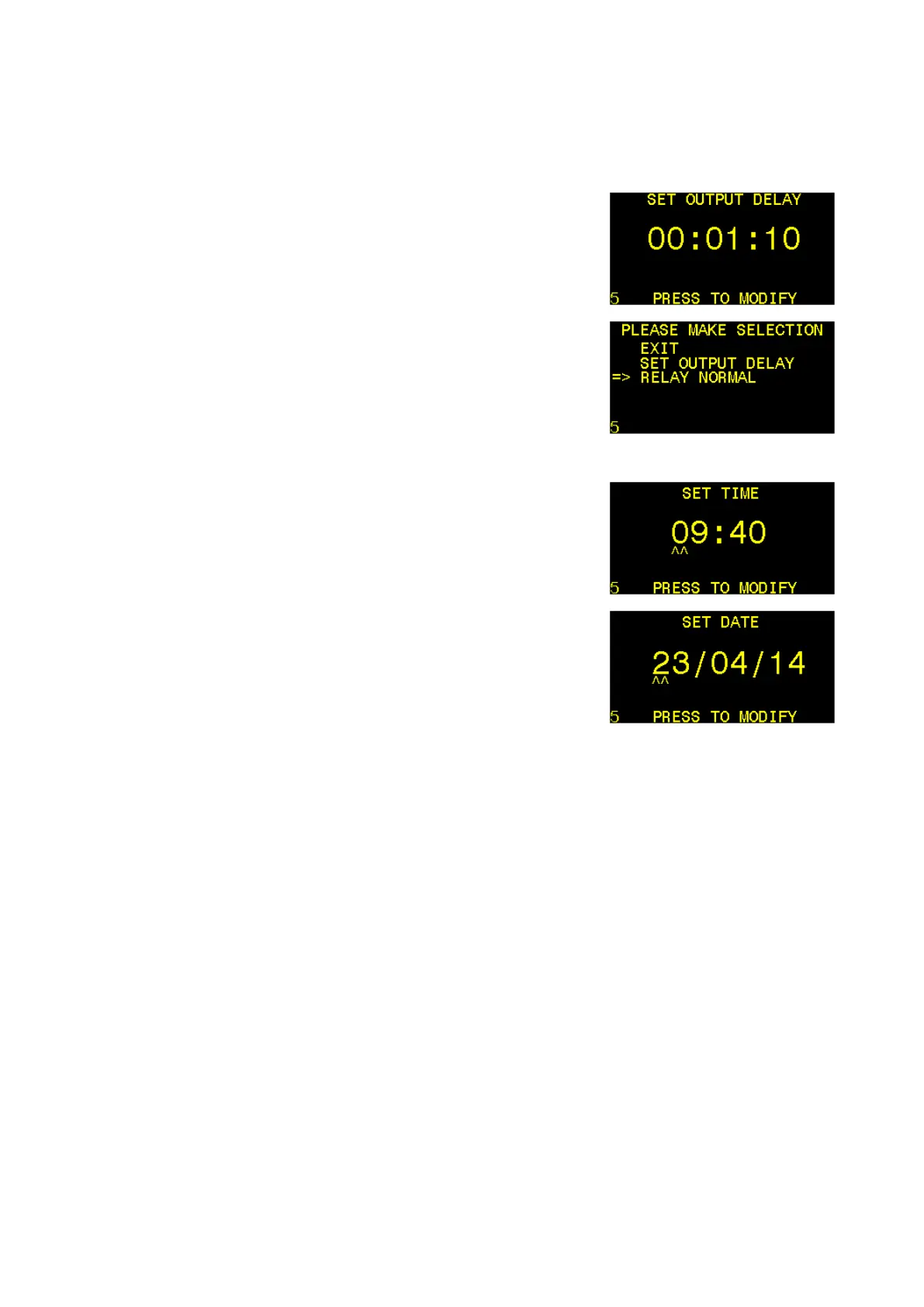
Selecting this item allows the user to set the period of time which the unit shall remain in
DETECTION MODE for as per section 3.4 DETECTION MODE and also how the outputs will
behave as per sections 3.5 RELAY OUTPUT and 3.6 CURRENT LOOP OUTPUT.
SET OUTPUT DELAY – Select this item to modify the OUTPUT
DELAY in HH:MM:SS format. See section 3.4 DETECTION MODE
for more information.
If a value of 99 is entered for the hours (HH) the unit will latch
in DETECTION MODE if a pig is detected and will require the
user to press the control button to reset the unit back to
LISTENING MODE.
RELAY LOGIC – RELAY NORMAL indicates that the relay
outputs will behave as described in Section 3.5 RELAY OUTPUT.
RELAY INVERTED indicates that the behaviour of the relay
outputs will be inverted.
3.7.8. SET TIME/DATE
Selecting these items allow the time and date to be adjusted.
SET TIME - Select this item to modify the TIME in HH:MM
format. Ensure that a valid and correct time is entered.
SET DATE - Select this item to modify the DATE in DD/MM/YY
format. Ensure that a valid and correct date is entered.



 To Next Page