
 Need help?
Do you have a question about the OnLyee CR1018 and is the answer not in the manual?
Identifies and describes all buttons, indicators, and ports on the alarm clock.
Instructions for activating the CR2032 coin cell backup battery for time and alarm settings.
Steps to connect the adapter to the DC jack and plug into a wall outlet for power.
Guide to setting the hour and minute, and saving the time using the TIME 12H/24H button.
How to switch between 12-hour and 24-hour time formats by holding the TIME 12H/24H button.
Procedure to set hour and minute for Alarm 1 and Alarm 2 using ALARM buttons.
How to adjust the alarm ring volume across 7 levels using the VOLUME button.
Instructions for temporarily snoozing or permanently turning off alarms.
How to permanently cancel Alarm 1 or Alarm 2 by holding the ALARM OFF button.
Guide to adjust display brightness across 7 levels using the DIMMER button.
How to turn the DST indicator on or off by holding the DST button.
Information on charging phones or tablets via the USB output jack with a maximum current of 1 Ampere.
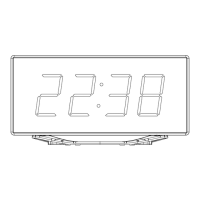
The OnLyee CR1018 is a mirror alarm clock with a USB charger, designed to enhance your sleep environment. This device combines the functionality of a digital clock, an alarm, and a charging station, all within a sleek mirror-finished design.
The primary function of the OnLyee CR1018 is to display time and provide alarm capabilities. It features a large LED display that shows the time clearly. The clock supports both 12-hour and 24-hour time formats, which can be easily switched by holding the "TIME 12H/24H" button.
The alarm function allows users to set up to two independent alarms (Alarm 1 and Alarm 2). When an alarm is active, a corresponding indicator (1 or 2) will light up. The alarm time can be set using the "HOUR" and "MIN" buttons. Once an alarm is set, it can be saved by pressing the "ALARM 1" or "SNOOZE" button, or by waiting 10 seconds for automatic confirmation. When an alarm goes off, users have several options:
The device also includes a dimmer function, allowing users to adjust the brightness of the display. There are 7 levels of brightness, with a default setting of 04. This can be adjusted by repeatedly pressing the "DIMMER" button to suit individual preferences.
Another key feature is the integrated USB charging capability. The clock is equipped with two USB output jacks (18) on the back, allowing users to charge up to two devices, such as phones or tablets, simultaneously. The maximum charge current for these ports is 1 Ampere.
The alarm ring volume is also adjustable, offering 7 levels of volume, with a default setting of 04. This can be adjusted by repeatedly pressing the "VOLUME DST" button.
The device supports Daylight Saving Time (DST) functionality. Users can switch the DST function on or off by holding the "VOLUME DST" button. When DST is active, the "DST" indicator (13) will turn on.
 General
| Brand | OnLyee |
|---|---|
| Model | CR1018 |
| Category | Alarm Clock |
| Language | English |

 To Next Page