
 Need help?
Do you have a question about the Onn 100016495 and is the answer not in the manual?
Lists the items included in the product package: earphones, case, cable, and guide.
Earphones power on and connect to the last paired device automatically when removed from the case.
For first-time use, open the charging case to enter pairing mode and search for 'onn. TWS Earphones'.
Earphones power off and disconnect automatically when returned to the charging case and closed.
Turn off Bluetooth on the previous device to pair with a new device.
Music auto-pauses when earphones are removed and auto-plays when worn.
Tap and hold left earphone for previous track; tap and hold right for next track.
Double-tap to play/pause music or activate voice assistant.
Double-tap either earphone to answer or hang up calls.
Tap and hold either earphone to reject an incoming call.
Red light indicates charging; light off means earphones are fully charged.
Red light indicates case charging; green light means case is fully charged.
Details equipment compliance with FCC rules for digital devices and potential interference.
Covers modifications, warnings, customer support contact, and production information.
This document is a Quick Start Guide for Onn. Wireless Earphones, model 100016495. It provides instructions on how to set up, use, and maintain the earphones.
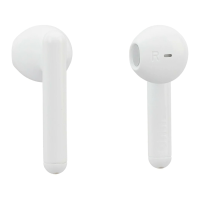
The Onn. Wireless Earphones are designed for audio playback and hands-free calling. They are true wireless stereo (TWS) earphones, meaning the left and right earbuds operate independently and connect wirelessly to a source device. The earphones come with a charging case that not only stores them but also recharges them on the go.
 General
| Brand | Onn |
|---|---|
| Model | 100016495 |
| Type | Over-Ear |
| Connectivity | Wired |
| Driver Size | 40mm |
| Frequency Response | 20Hz - 20kHz |
| Impedance | 32 ohms |
| Sensitivity | 105 dB |
| Cable Length | 1.2m |
| Plug Type | 3.5mm |
| Color | Black |
| Bluetooth | No |
| Water Resistance | No |

 To Next Page
