Rugged Speaker
Quick Start Guide
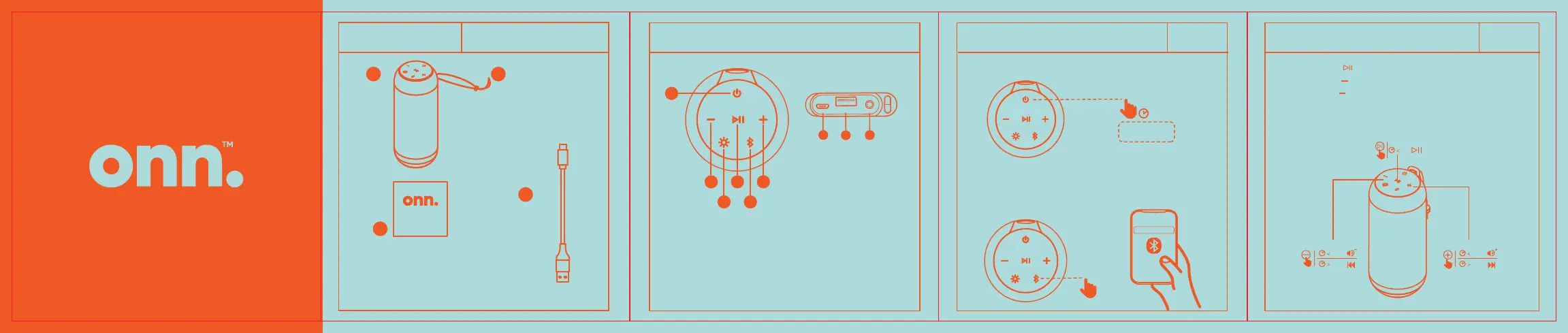
What’s in the Box?
Get to Know Your Rugged Speaker
Power & Bluetooth® Connection
Quick
Start Guide
TM
1 2
3
4
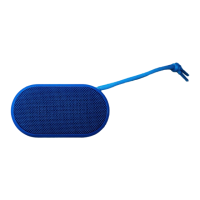
1. Rugged Speaker
2. Strap
3. Quick Start Guide
4. Charging Cable
Check to make sure you
have everything below.
Long press to power on / o the speaker
ON/OFF
2
s
>
In Bluetooth mode,activate the Bluetooth function
on your device and search Bluetooth devices,
then select “onn. Rugged LG GRY”
to start connecting.
1. Power
2. Volume-/
Previous track
3. Light
4. Play/Pause/
Speakerphone
Back
Top
2
1
4 6
3 5
onn. Rugged LG GRY
7
98
5. Bluetooth
6. Volume+/
next track
7. Input charging port
8. Output charging port
9. Aux in
01 Play Music 02
Short press “ ” to execute play and pause
Short press “ ” to reduce volume.
Long press “ ” to previous song.
Short press “+” to increase volume.
Long press “+” to next song.
1s
2s
1s
2s
1s


 To Next Page