Quick Start Guide
Wireless Subwoofer
© 2019 Walmart Inc. ONN is a trademark of Walmart Inc. All rights reserved.
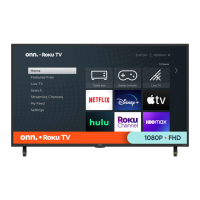
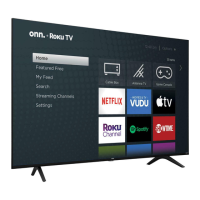
© 2019 Roku, Inc. All rights reserved. ROKU and the ROKU logo are the registered trademarks of Roku, Inc.
All other logos and trademarks herein not owned by Roku, Inc. are the property of their respective owners.
Place wherever you want
Wirelessly connects up to 30 feet
from your TV.
TV
1
™
™
4100000595_1
We’d love to hear from you. Scan
with your Walmart app and let us
know what you think.
Get ready for immersive bass.
Power cable
Reset
To set up, you’ll need: 2. Prepare to connect1. Power up your subwoofer 3. Follow the on-screen setup
• onn.™ • Roku Smart Soundbar
or other compatible Roku audio
products.
• Your Roku remote.
• Place your subwoofer anywhere
within 30 feet of your TV.
• Plug it in to a power outlet.
• Follow the instructions on your TV
screen to connect your subwoofer
and test the sound.
• Press and hold for 5 seconds
to get to the pairing menu.
• Select subwoofer.
Note: If you don’t see a subwoofer
option, select speaker.
What you’ll need
Setup
Power
FRONT BACK
Wireless Subwoofer
™
Get ready for immersive bass.
Power cable
Reset
To set up, you’ll need:
2. Prepare to connect1. Power up your subwoofer 3. Follow the on-screen setup
• onn.™ • Roku Smart Soundbar
or other compatible Roku audio
products.
• Your Roku remote.
• Place your subwoofer anywhere
within 30 feet of your TV.
• Plug it in to a power outlet.
• Follow the instructions on your TV
screen to connect your subwoofer
and test the sound.
• Press and hold for 5 seconds
to get to the pairing menu.
• Select subwoofer.
Note: If you don’t see a subwoofer
option, select speaker.
What you’ll need
Setup
Power
FRONT BACK
Wireless Subwoofer
™
Get ready for immersive bass.
Power cable
Reset
To set up, you’ll need: 2. Prepare to connect1. Power up your subwoofer 3. Follow the on-screen setup
• onn.™ • Roku Smart Soundbar
or other compatible Roku audio
products.
• Your Roku remote.
• Place your subwoofer anywhere
within 30 feet of your TV.
• Plug it in to a power outlet.
• Follow the instructions on your TV
screen to connect your subwoofer
and test the sound.
• Press and hold for 5 seconds
to get to the pairing menu.
• Select subwoofer.
Note: If you don’t see a subwoofer
option, select speaker.
What you’ll need
Setup
Power
FRONT BACK
Wireless Subwoofer
™

 Need help?
 General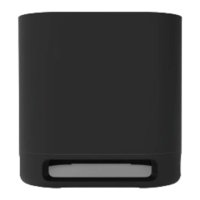

 To Next Page