Need help?
Do you have a question about the Onwa KP-1299C and is the answer not in the manual?
Explains the function of each key on the plotter's keypad for user interaction.
Details the procedure for powering the unit on and off, including boot-up sequence.
Describes how to adjust the display's brightness and dimming levels for optimal visibility.
Outlines the seven different display modes available on the plotter for various information views.
Instructions on how to select the display range for plotter and highway views.
Explains how to move the cursor on the plotter display using the cursor pad.
Describes how to pan or shift the plotter display view by moving the cursor to the edge.
Details the method to center the display on the vessel's current position using the ESC key.
Instructions for configuring coordinate display formats like N/E or UTM.
Guide on selecting and displaying different map data layers (e.g., depth lines, ports).
How to configure and display the heading line on the plotter (OFF, VARIABLE, MAX).
Instructions for enabling and setting up the range circle feature on the plotter.
How to set track recording intervals (Time, Distance, Auto) and stop plotting.
Instructions on how to show recorded track data on the display by selecting colors.
Steps to save the current track as data for future use and navigation.
Procedures for deleting current, saved, or all recorded tracks.
Guide on how to create new waypoints at cursor or own ship position, or from the waypoint list.
Instructions for marking the Man Overboard (MOB) position and optionally setting it as destination.
How to show or hide waypoint names on the display, filtering by ALL, GOTO, or ROUTE.
Details on how to edit existing waypoint information like name, position, mark, and comment.
Steps to create a new route by linking waypoints, including naming the route.
How to modify existing routes, including replacing, inserting, or removing waypoints.
Instructions for deleting individual routes or erasing all routes from the unit.
How to set a destination using the cursor on the map and confirm the selection.
Instructions for setting a destination from a saved waypoint in the waypoint list.
How to designate a pre-defined route as the active destination, choosing forward or reverse traversal.
Procedure to set a track log as the navigation destination, choosing forward or reverse.
Configuration and operation of the anchor drag alarm, including setting the range.
How to set up and enable the arrival alarm for a destination.
Details on setting the Cross-Track Error alarm threshold.
Instructions for configuring the speed alarm, setting high/low limits.
How to place custom marks on the plotter display, including editing symbol and color.
Instructions for drawing lines on the plotter screen, including color modification and saving.
Steps to add custom place names to the map, including entering the name and saving.
How to modify or edit existing drawn marks on the plotter.
Instructions for editing previously drawn lines on the plotter screen.
Steps to edit custom place names previously added to the map.
How to delete individual or all drawn marks from the plotter display.
How to change the map scale display format between RATIO and MILES.
Setting units for distance and speed (e.g., nm/kt, km/h, sm/mph).
How to select between True and Magnetic bearing references for course display.
Setting magnetic variation (AUTO or Manual) for accurate magnetic bearing readings.
Inputting deviation values manually to correct position errors from GPS or map.
Configuring time display format (12/24 hour) and setting the UTC offset for local time.
Setting speed (AUTO or Manual) for Time To Go and Estimated Time of Arrival calculations.
Configuration options for GPS data output formats and datum settings.
Selecting NMEA data formats (GGA, GLL, etc.) for GPS output.
Choosing the geodetic datum (e.g., WGS 84) for accurate position calculations.
Adjusting smoothing levels for position, speed, and course data to reduce noise.
Viewing and checking NMEA data input/output streams for troubleshooting.
Selecting different sonar display modes (e.g., 200K, 50K, Dual, Zoom) for fish finding.
Adjusting the sonar's gain (Manual, Fishing, Cruising) for optimal signal reception and display.
Setting the sonar's depth range (Manual, Auto) for displaying targets at different depths.
Configuring the Time Varied Gain (TVG) to compensate for sound propagation loss.
Adjusting the speed of picture advancement (FAST/SLOW) on the sonar screen.
Setting the display split ratio for dual sonar modes, controlling screen division.
Accessing advanced sonar settings and features through the Sonar Menu.
Enabling and configuring the A-scope display for real-time echo analysis.
Using zoom modes (Marker Zoom, Bottom Zoom) to analyze specific areas of the sonar display.
Suppressing unwanted noise (unclean water, noise) on the sonar screen using limiter settings.
Customizing colors for background and echo display to improve visibility.
Adjusting the signal level for better echo detection and clarity.
Configuring marker types (VRM, WHT) to highlight specific echoes or bottom features.
Setting up various sonar alarms (Bottom, Fish, Temperature) with adjustable ranges.
Technical specifications detailing plotter capabilities like waypoints, routes, and alarms.
Electrical power requirements, voltage range, and current draw for the unit.
Technical details of the GPS receiver, including acquisition times and accuracy.
Specifications for the Automatic Identification System (AIS) interface, including data input and baud rate.
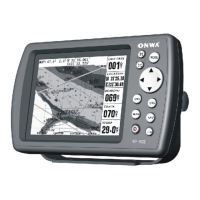
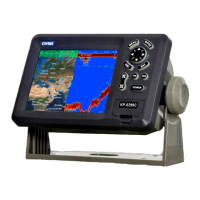
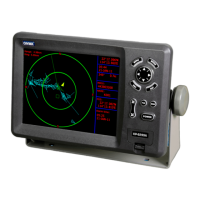
Physical dimensions, weight, and display size specifications for each model.
A list of standard equipment included with the unit.
A checklist to confirm all items are present in the package upon opening.
Instructions and crucial precautions for securely mounting the display unit.
Wiring and connection diagram detailing data input/output and power for the KP-6299C.
Wiring and connection diagram detailing data input/output and power for the KP-8299C.
Wiring and connection diagram detailing data input/output and power for the KP-1299C.
Dimensional drawings and measurements for the KP-6299C display unit.
Dimensional drawings and measurements for the KP-8299C display unit.
Dimensional drawings and measurements for the KP-1299C display unit.
 General
| Display Resolution | 800 x 480 pixels |
|---|---|
| Resolution | 800 x 480 pixels |
| Position Accuracy | 2.5m CEP |
| Display Size | 5 inches |
| Display | TFT LCD |
| Update Rate | 1 second |
| Operating Temperature | -15°C to 55°C |
| Humidity | Up to 95% RH |


 To Next Page