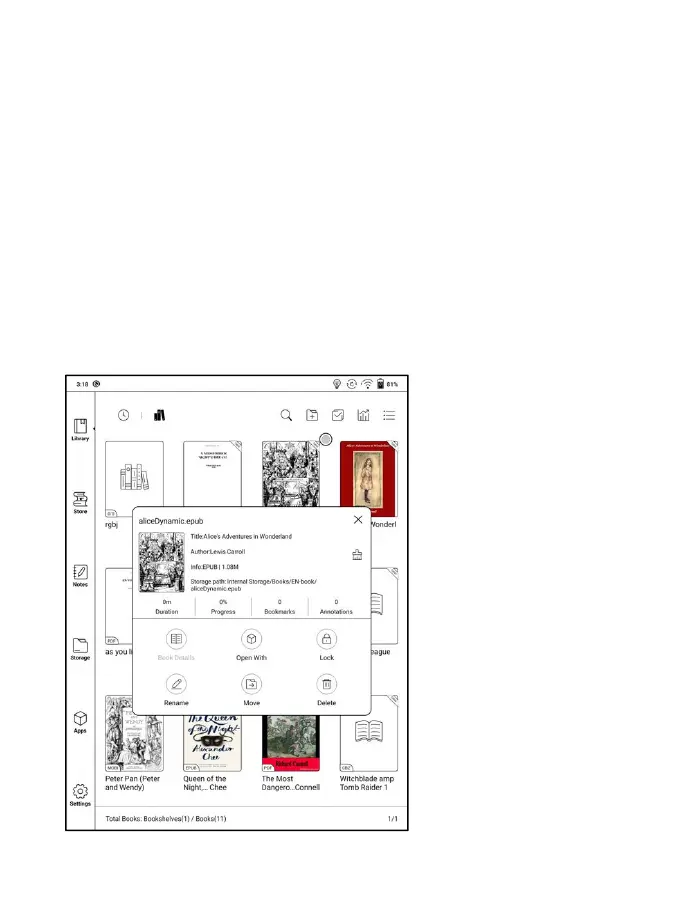
E-book Attribute
Long-press on book cover to view more information about E-book name,
author, format, size, reading progress, book detail(only available for the
E-books of Store), open way, Lock 、 rename, move(to sub-library) and
delete. One E-book only can be added to one Sub-library.
As for the books purchased from the Store, is allowed to view book details
by jumping to the Store page.



 To Next Page