11
HOW TO USE DERMISONIC DIFFERENT MODES
ION TREATMENT
Press the “MODE” button and you will see on the screen “sonic” flashing, press the “MODE” button
again to scroll down till you see ION+ or ION- flashing according to your choice. Press the “shift
button” to choose the Strength you require for the treatment.
Once you chose your strength press “cfm” to activate the machine and click it again to stop the
treatment.
ULTRASONIC TREATMENT
Press the “MODE” button and you will see on the screen “sonic” flashing, to change between the dif-
ferent levels of ultrasound power press the “shift” button and choose the level you require.
Once you chose your level press “cfm” to activate the machine and click it again to stop the treat-
ment.
PHOTON LED LIGHT THERAPY
Apply the relevant cream/serum for the treatment you require.
Press the “MODE” button and you will see on the screen “sonic” flashing, keep pressing on “MODE till
you see the “PHOTON” option flashing, press the “shift” button and choose the light you require, Red
- Anti Ageing, Blue - Anti Bacterial, Green - Pigmentation treatment.
Once you chose your light press “cfm” to activate the machine and click it again to stop the treat-
ment.
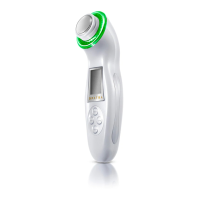
Hold Dermisonic with your hand, make sure that the head of the device touches the skin and move
it slowly.
ALWAYS wear your protective glasses when using LED light therapy.


 To Next Page