84 Instruments and controls
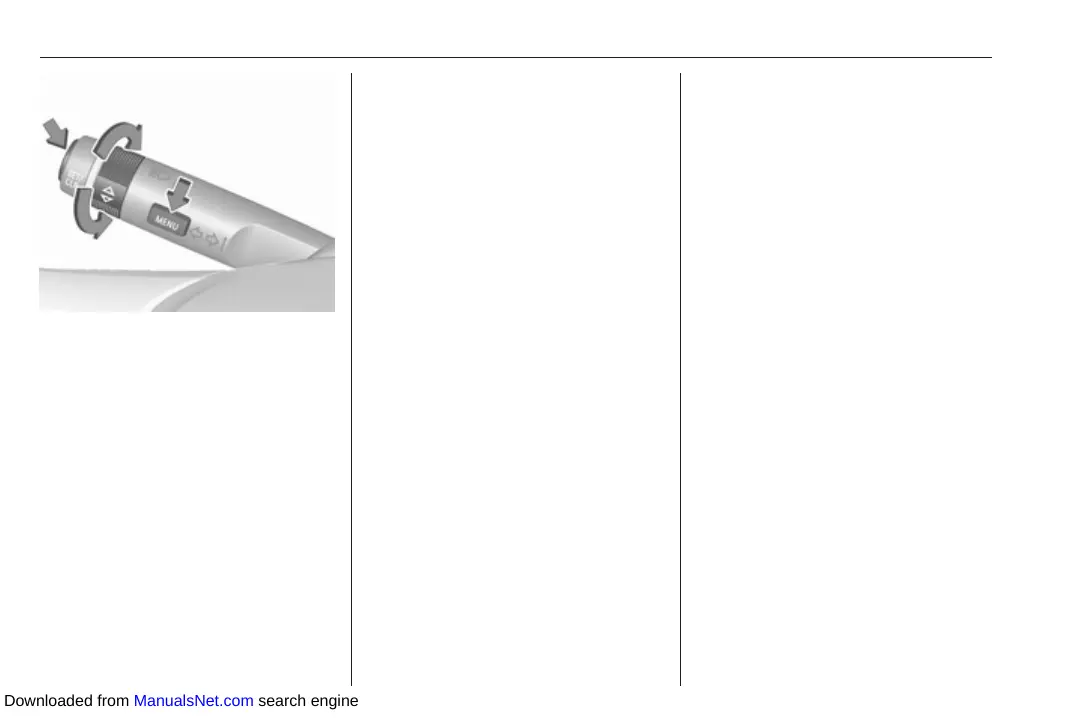
Press MENU to select the Vehicle
Information Menu.
Turn the adjuster wheel to select
Remaining Oil Life.
Reset
Press SET/CLR on turn signal lever
for several seconds to reset. The
remaining engine oil life duration
page must be active. Switch on
ignition only, engine must be
switched off.
The system must be reset every time
the engine oil is changed to ensure
proper functionality. Seek the
assistance of a workshop.
Next service
When the system has calculated that
engine oil life has diminished, a
warning message appears in the
Driver Information Centre. Have
engine oil and filter changed by a
workshop within one week or
500 km (whichever occurs first).
Driver Information Centre 3 91.
Service information 3 213.
Control indicators
The control indicators described are
not present in all vehicles. The
description applies to all instrument
versions. Depending on the
equipment, the position of the control
indicators may vary.
When the ignition is switched on,
most control indicators will illuminate
briefly as a functionality test.
The control indicator colours mean:
red : danger, important reminder
yellow : warning, information, fault
green : confirmation of activation
blue : confirmation of activation
white : confirmation of activation
Downloaded from ManualsNet.com search engine



 To Next Page