134 Climate control
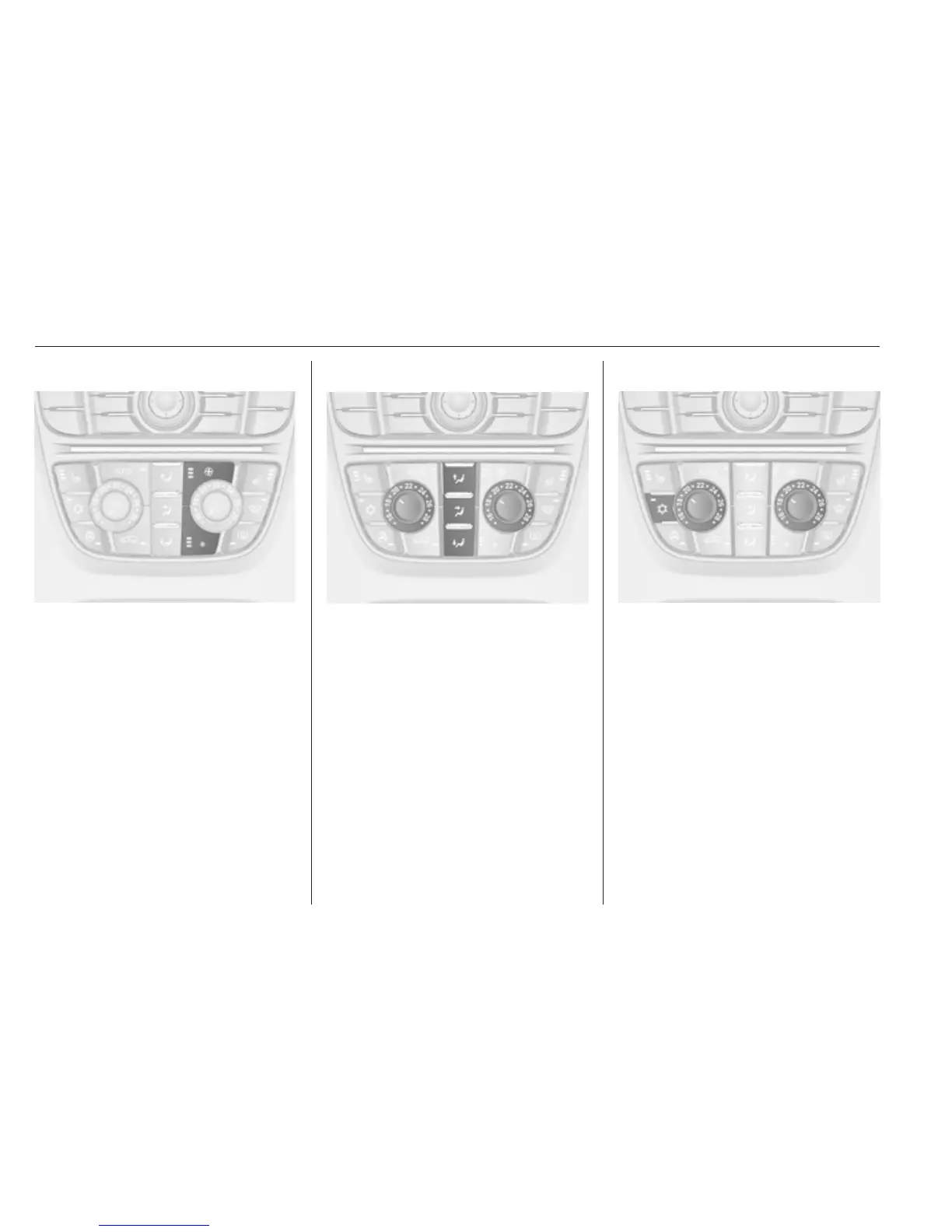
Fan speed Z
Press lower button to decrease or
upper button to increase fan speed as
shown in the illustration. The fan
speed is indicated by the number of
segments in the display.
Pressing the lower button for longer:
fan and cooling are switched off.
Pressing the upper button for longer:
the fan runs at maximum speed.
To return to automatic mode: Press
AUTO.
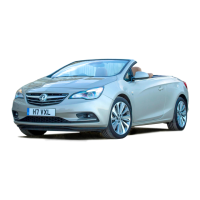
Air distribution s, M, K
Press appropriate button for desired
adjustment. Activation is indicated by
illumination of the LED in the button.
s
: to windscreen and front door
windows (air conditioning is
activated in the background to
help preventing windows from
fogging)
M
: to head area via adjustable air
vents
K
: to foot well
All combinations are possible.
Return to Automatic air distribution:
press AUTO.
Cooling n
Press n to switch on cooling.
Activation is indicated by illumination
of the LED in the button. Cooling is
only functional when the engine is
running and climate control fan is
switched on.
Press n again to switch off cooling.
The air conditioning system cools and
dehumidifies (dries) when outside
temperature is above a specific level.
Therefore condensation may form
and drip from under the vehicle.
If no cooling or drying is required,
switch off the cooling system for fuel
saving reasons. When the cooling



 To Next Page