58 Navigation
Guidance with arrow display
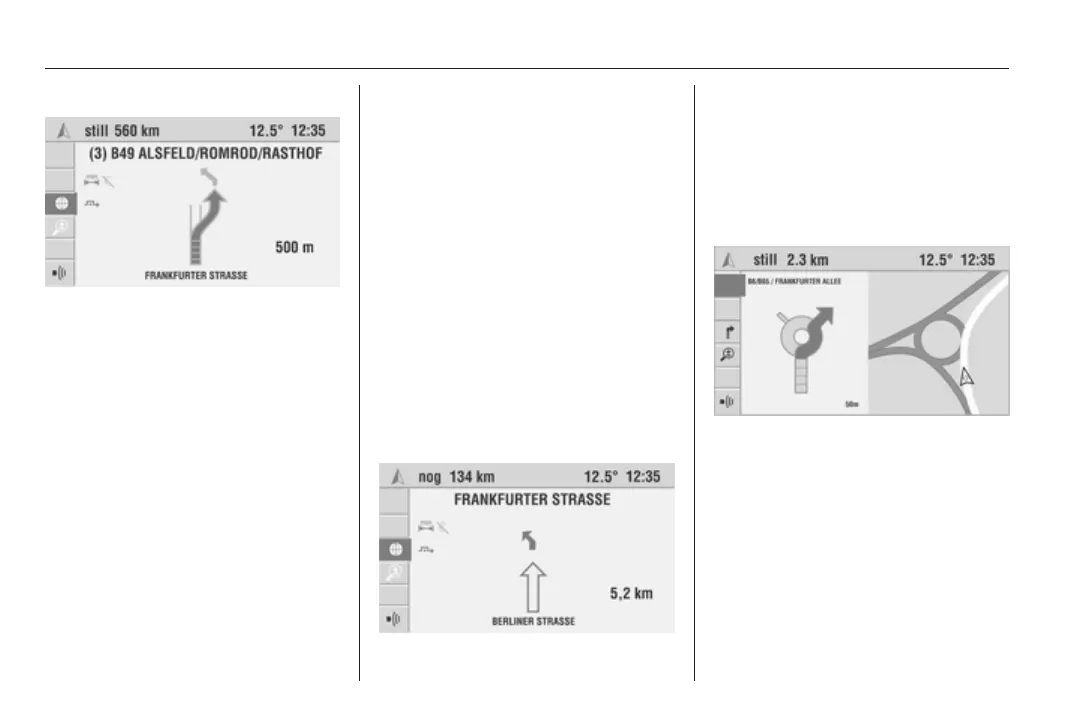
The Infotainment system displays the
following information in the guidance
screen:
■ Road turn-off: Next road to be
taken.
■ Navigation parameters: Route
option, dynamic guidance, prompt
off, etc.
■ Turn-off or directional arrow.
■ Current distance to the next turn-off
point.
■ Current road.
The closer you come to the turn-off
point, the fewer colour segments
appear on the directional arrow.
If the car is not on a public road (e.g.
company site or forest path) or on
a road not yet stored on the
navigation DVD/CD, an arrow
pointing in the direction of the
destination is displayed. When a road
is reached that is stored on the
navigation DVD/CD, an arrow
appears pointing in the direction of
the route.
After switching off the Infotainment
system (e.g. when interrupting
a journey) the current destination
remains saved. When the
Infotainment system is switched on
again, a prompt asking if guidance is
to be continued appears after a short
time.
In addition, a simplified preinstruction
is shown via the directional arrow
which informs you of the next change
of direction even at relatively large
distances.
Intersect. zoom
(Colour Info Display only)
If this option is enabled, the
manoeuvring point is displayed in an
enlarged view in the case of complex
manoeuvres.
Activate the Intersect. zoom function
in the navigation Settings menu
3 38.
Map display
(Colour Info Display only)









 To Next Page