
 Need help?
Do you have a question about the Opel Smart Z6 and is the answer not in the manual?
Details the model's compliance with international radio wave exposure guidelines and SAR limits.
Provides guidance on handling, preserving, and avoiding damage to the device.
Covers essential safety measures for using the device, including environmental, health, and usage restrictions.
Addresses hearing safety, data responsibility, magnetic interference, and eye safety.
Recommends using approved accessories and provides cautions regarding battery replacement and charger use.
Outlines conditions and restrictions for using the device, including packaging disposal and recycling.
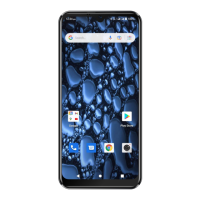
Identifies and illustrates the external components of the Opel Smart Z6 phone.
Explains the various icons displayed in the phone's status bar and their meanings.
Details the function of the three navigation buttons: Back, Home, and App Switcher.
Lists detailed technical specifications of the Opel Smart Z6, including hardware and connectivity.
Step-by-step instructions for installing SIM cards into the device.
Guide on how to install a microSD memory card for additional storage.
Instructions for charging the phone and performing power on/off operations.
Walks through the initial setup steps for the phone, including language, Wi-Fi, and account configuration.
Explains how to put the phone into and wake it from sleep/standby mode.
Troubleshooting steps for when the phone fails to power on.
Addresses issues related to PUK codes and SIM card errors, providing solutions.
Resolves problems with network connectivity, making/receiving calls, and audio during calls.
Troubleshoots common problems with charging, Bluetooth, and Wi-Fi connectivity.
 General
| Brand | Opel |
|---|---|
| Model | Smart Z6 |
| Category | Cell Phone |
| Language | English |

 To Next Page