OpenScape Desk Phone CP600 | Screen, Buttons, and Common Functions
© 1999 - 2020 RingCentral, Inc. All rights reserved. 3
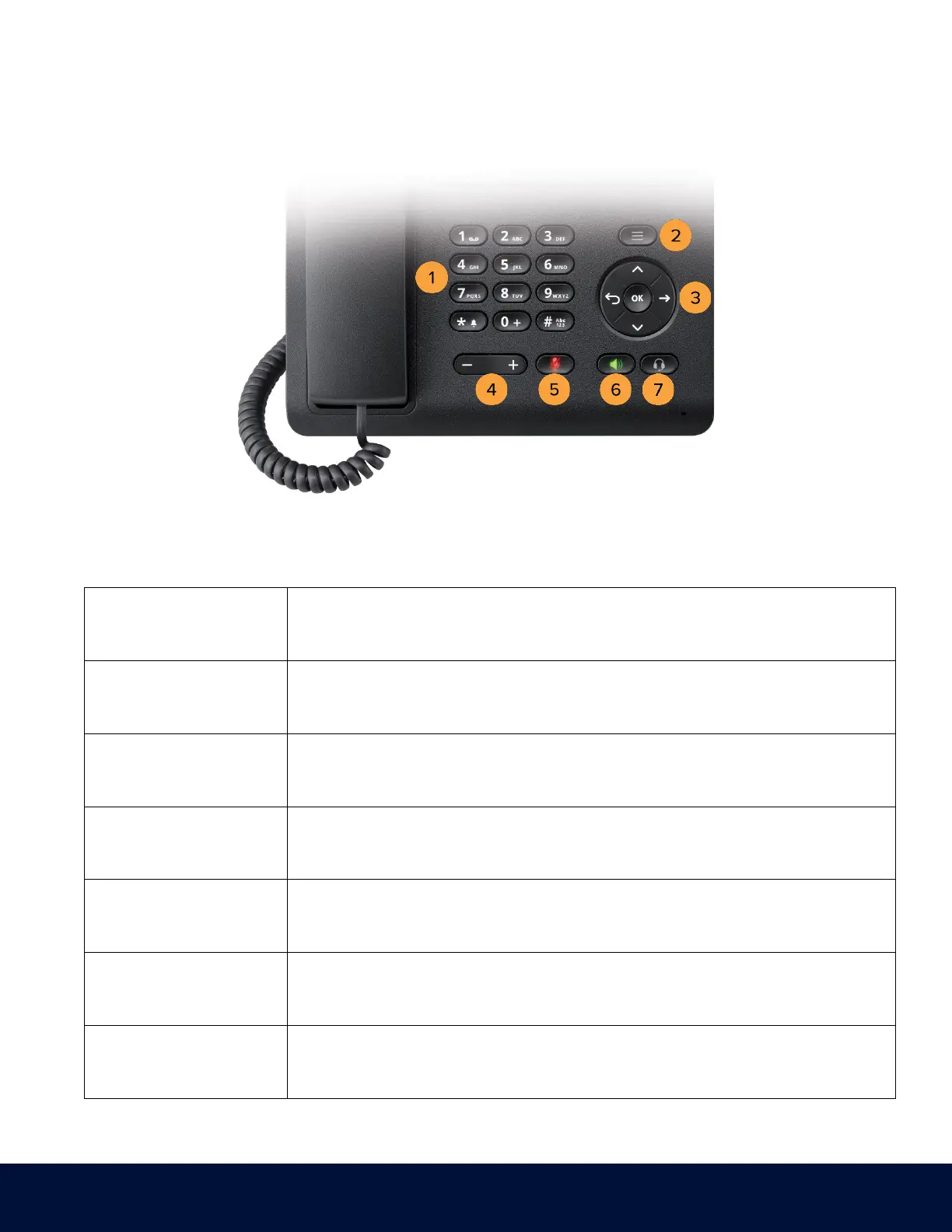
BUTTON DEFINITIONS
1. Dial Pad
Permits users to enter numbers or characters.
2. Menu Key
Opens different menus with telephone functions, applications, and configurations.
3. Navigator
Enables navigation and access to various menus in the Graphic Display.
4. Volume Control
Controls the volume level.
5. Mute Key
Switches the microphone on/off.
6. Speaker Key
Switches the speaker on/off.
7. Headset Key
Enables the headset function.



 To Next Page