OpenScape Desk Phone CP600 | Screen, Buttons, and Common Functions
© 1999 - 2020 RingCentral, Inc. All rights reserved. 9
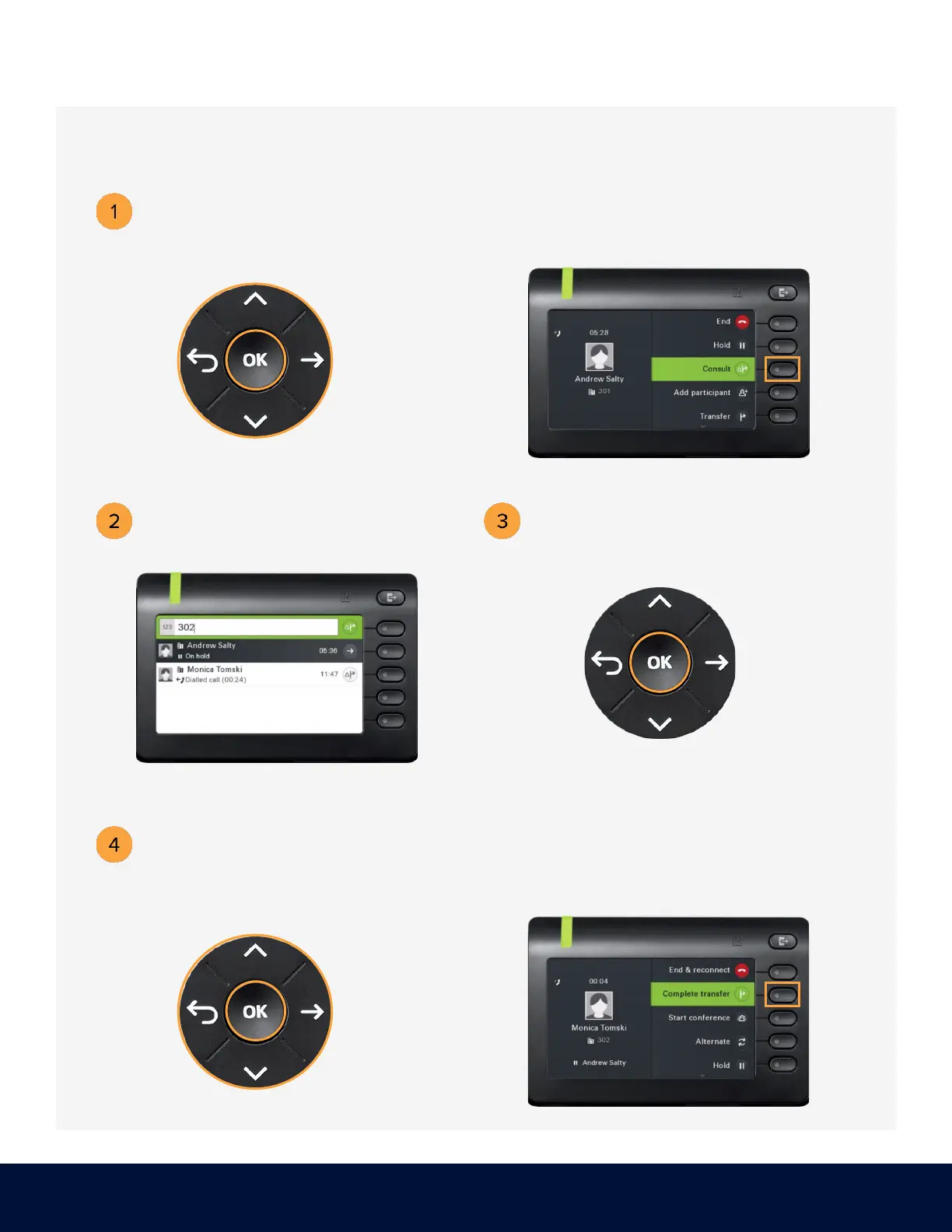
TRANSFERRING A CALL – WARM
While on an active call, use the
Navigator to locate Consult,
Press the soft key adjacent to Consult.
Dial the number or extension that
you wish to consult. Example: 302
When the called party answers,
use the Navigator to locate the
Complete transfer option,
then press OK.
Press the soft key adjacent to



 To Next Page