- 1 - - 2 -
SPECIFICATIONS
VIEW
Ⅳ.
OPERATION
Ⅲ.
FUNCTIONS
Ⅱ.
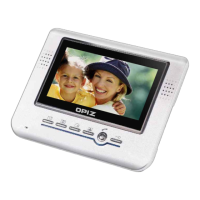
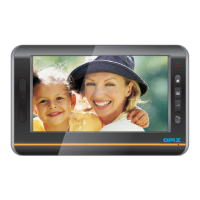
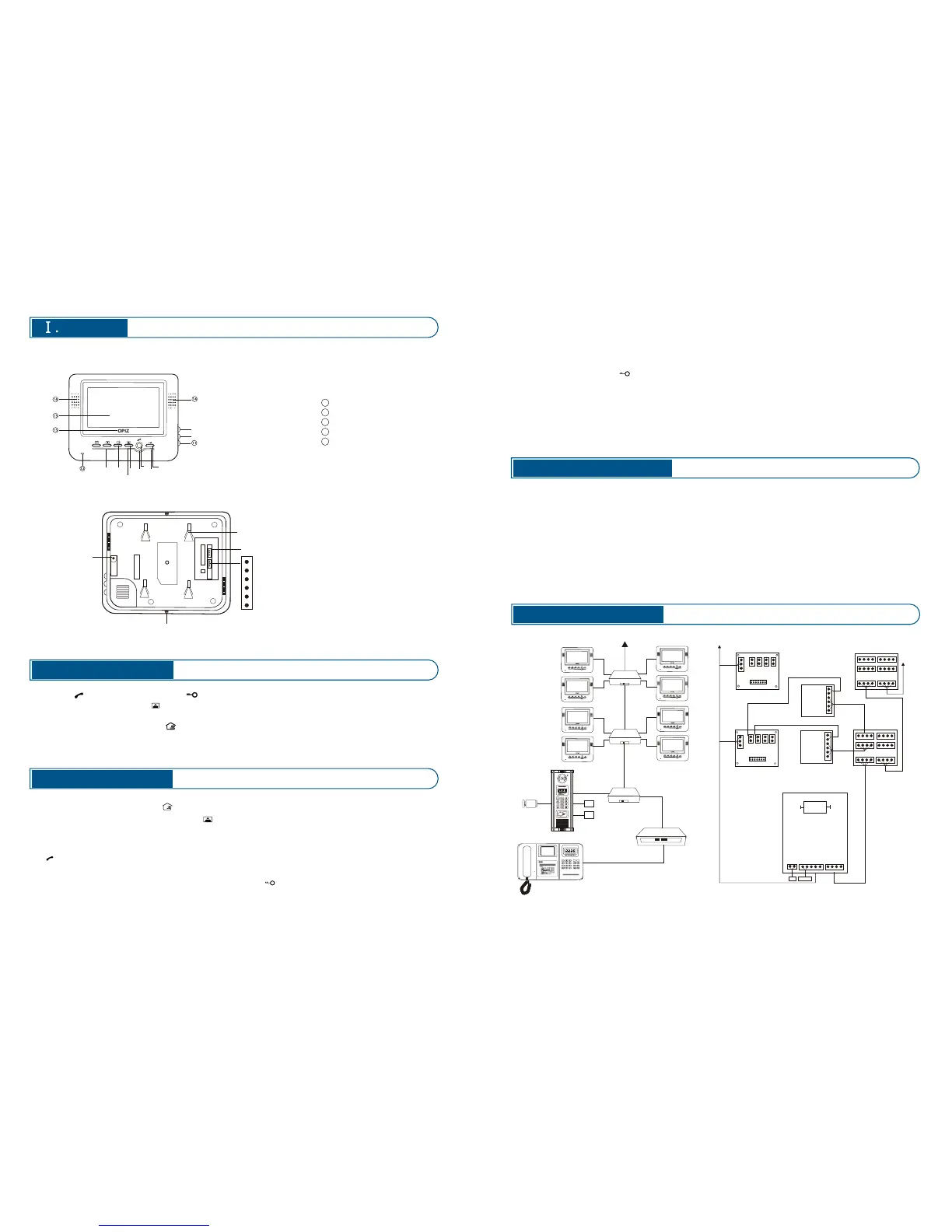
1. Front View
1.Emergency call button: Press to call and intercom with management center.
2.Monitor button: In standby status, press to view the outside, press again
will stop the video viewing.
3.Answer button: When the indoor phone received a call from door station, press
and then can intercom with the visitor, also can see the picture in the
front of the door station. Press again to finish talk.
4.Unlock button: In answering or monitoring status, press to release the door.
5.Power indicator: As indoor phone works ok it will be always on.
1. Press key to intercom, Press to release lock.
2. In standby status, press can view the outside, press again will stop the
video viewing.
3. Emergency call button: Press to call and intercom with management center.
4. Three adjustable knob buttons at the right frame of indoor phone, respectively
is the image color adjusting Image brightness adjusting, volume adjusting.
①
②
③
④
⑤
⑥
⑦
⑧
⑨
⑩
Plug for
power supply
Holes of hanging
Screws
2. Rear View
⑨
⑩ Color adjustments
Volume adjustments
MIC
Screen
Loudspeaker
Logo
Brightness adjustments
① Emergency call
button
② Monitor button
③ Answer button
④ Unlock button
⑤ Power indicators
⑥ Busy indicators
⑦ Talking indicator
⑧ Unlock indicators
Temperature: -40℃ ℃
Atmospheric pressure:86~108Kpa
Fire endurance rating: IP 33
Working Voltage: DC15V
Static Current: 180mA
Working Current: 0.240A
Static Power Dissipation: 0.216W
Surface Dimension: 235mm*190mm*40mm
Installation: Surface mount
~70
6.Busy indicator: When it is on, mean others units are monitoring outside now,
so you can not have operation now. It will become back to standby status as if
others finished monitoring.
7.Talking indicator: this light will be on when talking.
8.Unlock indicator: Press , this light will be on if succeed to unlock the door.
9.Brightness adjustments: Use this button to adjust the brightness of image
10.Color adjustments: Use this button to adjust the color depth of image
11.Volume adjustments: Use this button to adjust the indoor phone volume.
Attention: As the machine out off factory is a perfect set, so do not change it
optionally.
PROGRAMMING
Ⅴ.
12 V
18 V
DEC ODER
DEC ODER
VID EO SWIT CH
VID EO SWIT CH
L1
L2
L1
L2
L1
L2
L1
L2
G
T
V
L1
L2
M
Vi
G
V+
L1
L2
M
Vi
G
V+
+
-
ViM
+
-
Vi M
+
-
ViM
+
-
Vi M
L+ L-
+
-
V T G M Vi
-
+
L1
L2
L1
L2
L1
L2
L1
L2
G
T
V
E-LOCK
12V
POWER SU PPLY
CAM ERA
DOO R STATION
IND OOR PHO NE
IND OOR PHO NE
L2 audio L2 connect with L2 on decoder
L1 audio L1 connect with L1 on decoder
M video M connect to M on video switch
Vi video Vi connect to Vi on video switch
G video G connect to G on video switch
V+ power Supply of video V+ connect to
V+ on video switch
Other Door Phone
1 1
1 2
1 3
1 4
1 5
AB-MG1中心 对讲主机
SHEN ZHEN OPIZ ELE CTR ONICS CO .,LTD .


 To Previous Page
 Loading...