Fire Protection | Data sheet No. 41350 | Version 01-2019 | 3 | 10
KRM-X® Duct Smoke Detector
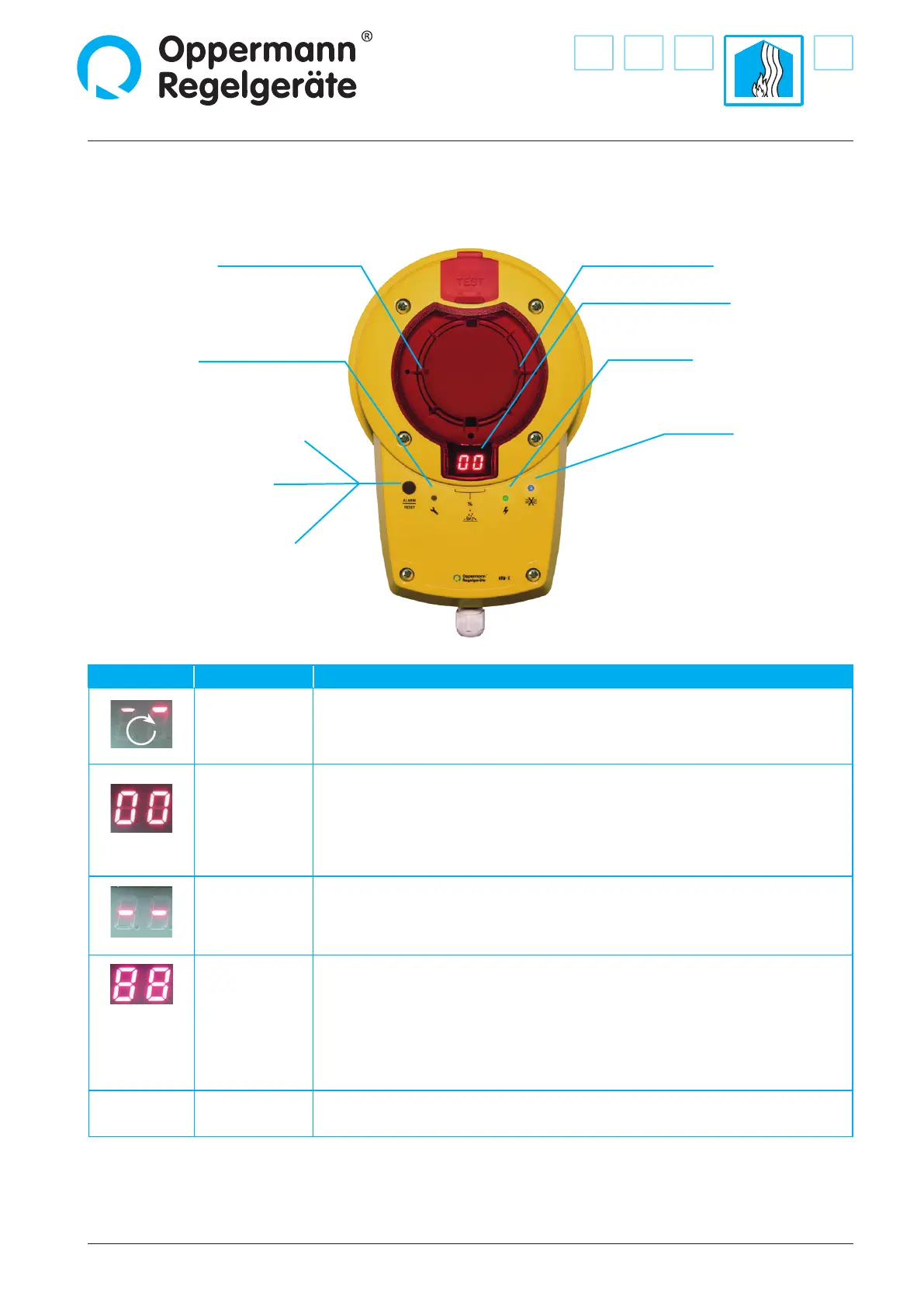
Display and Operation of KRM-X Duct Smoke Detector
smoke alarm LED (red) smoke alarm LED (red)
failure LED (yellow) power supply LED (green)
alarm LED (red) & alarm /reset button
failure reset:
Briey press button and release.
alarm reset:
Press button for at least 2 seconds
until red LED goes out
Display indication:
(contamination in % or status)
Display view Meaning Comments
Start / calibration
Shortly after startup, the software version is displayed (4 digits), e. g. 00 then 20 = software
version 0020. With BAC versions are indicated by “bA”.
At startup or after a power failure, this is followed by a rotating segment display.
00 – 99
Contamination
in %
Flashes starting at 70 % (contamination relay drops out);
at 99 % the alarm LED alarm lights up.
Failure
E.g. smoke detector missing, communication with smoke detector disrupted,
processor failure.
Failure LED & alarm LED light up at the same time.
Troubleshooting: Replace detector and conrm by pressing alarm/reset button.
+
All LEDs on
circuit board
light up
Conrmation of
reset / new start
Occurs when alarm/reset button is pressed for more than 8 seconds, or if bridge
circuit/ terminal 9/10 is open (missing bridge circuit or remote reset). Display goes out after
releasing the alarm/reset button or closing the bridge circuit between terminal 9 + 10.
00 – 99
Flashing
Bus address
Only appears with MOD/BAC versions after pressing the address buttons
T3/T4 directly on the circuit board.
Airow LED (blue)
lights up when there
is insucient ow



 To Next Page