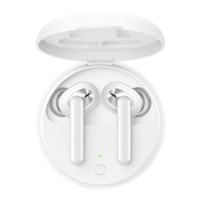
OPPO Enco Air2i Product Manual
Bluetooth pairing
When the charging case is opened for the first time, the earphones automatically
enter pairing mode;
※ Connect a new device: Remove the earphones and press and hold both ears for 4
seconds to enter pairing mode.
Function usage
You can customize the control functions of the left and right earphones on your
mobile phone.
For detailed support information, please refer to the official website:
www.oppo.com.
ColorOS system
Update the wireless earphones to the latest version; On the Bluetooth interface of
the phone, click on "OPPO Enco Air2i>Earphone Function".
Android system
After searching for the "Huanlu" app in the app store or scanning the QR code on the
right to download and install it, you can use the corresponding functions in the app.

 Need help?
 General

 To Next Page