EasyManua.ls Logo

Oppo Enco Free2 - User Manual

Oppo Enco Free2
71 pages
Print Icon
To Next Page IconTo Next Page
Loading...
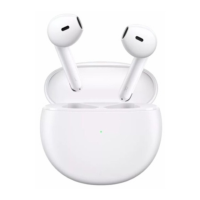
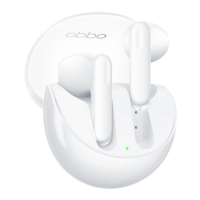
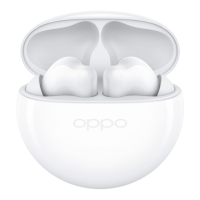
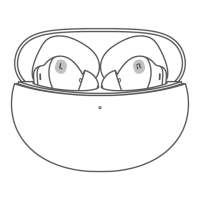
OPPO Enco Free2
True Wireless Noise Cancelling Earbuds
Quick start guide
Guide de démarrage rapide
Kurzanleitung
Guida rapida
Guía de inicio rápido
Snelstartgids
Guia rápido
Skrócona instrukcja obsługi
Короткий посібник
Foydalanishni boshlash qoʻllanmasi
Stručná úvodní příručka
Rövid útmutató
Stručná úvodná príručka
Ghid de utilizare
ガイ(本書)
Краткое руководство
Пайдаланушының қысқа нұсқаулығы
Question and Answer IconNeed help?

Do you have a question about the Oppo Enco Free2 and is the answer not in the manual?

Summary

Bluetooth Pairing

Standard Phone Pairing

Describes standard Bluetooth pairing process with a phone.

Quick Pairing with OPPO Phones

Explains the quick pairing method with OPPO phones.

Pairing with Other Devices

In-Ear Detection

Ear Tip Fit Guide

Charging Information

Battery Level Indicators

Explains how indicator colors show earbud and case battery status.

Charging the Earbuds

Instructions on how to charge the earbuds within the case.

Charging the Case

Details on how the charging case itself indicates charging status.

Touch Controls

Basic Touch Gestures

Covers double-tap, touch-and-hold, and slide gestures for playback and calls.

Camera Shutter Control

Explains using double-tap on earbuds to take photos with the phone camera.

Noise Cancellation Modes

Transparency Mode

Enables hearing external sounds while wearing earbuds.

Noise Cancellation Off

Disables noise cancellation for standard audio playback.

Personalized Noise Cancellation

Tailors noise cancellation based on ear canal structure for immersive sound.

Personalized Sound Boost

Earbud Function Customization

ColorOS Device Settings

How to customize functions via Bluetooth settings on ColorOS phones.

Android Device Setup (HeyMelody)

Using the HeyMelody app for customization on Android devices.

iOS Device Setup (HeyMelody)

Using the HeyMelody app for customization on iOS devices.

Factory Reset Procedure

Product Specifications

Summary

Bluetooth Pairing

Standard Phone Pairing

Describes standard Bluetooth pairing process with a phone.

Quick Pairing with OPPO Phones

Explains the quick pairing method with OPPO phones.

Pairing with Other Devices

In-Ear Detection

Ear Tip Fit Guide

Charging Information

Battery Level Indicators

Explains how indicator colors show earbud and case battery status.

Charging the Earbuds

Instructions on how to charge the earbuds within the case.

Charging the Case

Details on how the charging case itself indicates charging status.

Touch Controls

Basic Touch Gestures

Covers double-tap, touch-and-hold, and slide gestures for playback and calls.

Camera Shutter Control

Explains using double-tap on earbuds to take photos with the phone camera.

Noise Cancellation Modes

Transparency Mode

Enables hearing external sounds while wearing earbuds.

Noise Cancellation Off

Disables noise cancellation for standard audio playback.

Personalized Noise Cancellation

Tailors noise cancellation based on ear canal structure for immersive sound.

Personalized Sound Boost

Earbud Function Customization

ColorOS Device Settings

How to customize functions via Bluetooth settings on ColorOS phones.

Android Device Setup (HeyMelody)

Using the HeyMelody app for customization on Android devices.

iOS Device Setup (HeyMelody)

Using the HeyMelody app for customization on iOS devices.

Factory Reset Procedure

Product Specifications

Oppo Enco Free2 Specifications

General IconGeneral
TypeIn-ear
Active Noise CancellationYes
Bluetooth Version5.2
Water ResistanceIP54
Driver10 mm dynamic driver
Frequency Response20 Hz - 20 kHz
Wireless Range10 meters
Charging PortUSB-C
Weight4.4 grams per earbud
Transparency ModeYes
Touch ControlsYes
Voice Assistant SupportYes
Battery Life6.5 hours
Charging Time1.5 hours
Battery Life with ANCUp to 4 hours (earbuds), 20 hours with case

Related product manuals